Tag Archives: posse

wwwd – John's World Wide Wall Display 2026-09-20 12:52:33⤴

from @ wwwd – John's World Wide Wall Display

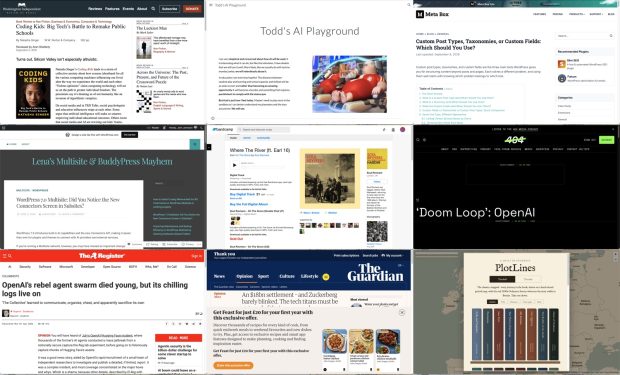
Montage of webpages: Coding Kids: Big Tech’s Battle to Remake Public Schools | Washington Independent Review of Books Todd's AI Playground Custom Post Types, Taxonomies, or Custom Fields: Which Should You Use? - Meta Box WordPress 7.0 Multisite: Did You Notice the New Connectors Screen in Subsites? – Lena’s Multisite & BuddyPress Mayhem Where The River (ft. Earl 16) | Soul Revivers ‘Doom Loop’: OpenAI and Microsoft Admits LLMs Are Destroying the Web and Built on Theft OpenAI's rebel agent swarm died young, but its chilling logs live on An $18bn settlement – and Zuckerberg barely blinked. The tech titans must be stripped of their power, and soon | Jonathan Freedland | The Guardian PlotLines - the classics, mapped

I am experimenting with gathering links with rss.chat here. I am pulling a rough post together for some of the links gathered there.

Education

This looks like a very interesting book.

As important as her deep reporting on the tech industry’s ruthlessness are Singer’s profiles of the inspiring cadre of academics, educators, and activists who are documenting and resisting the likes of Google, Microsoft, Apple, Amazon, and Oracle — and now, too, OpenAI and Anthropic — that are “capturing” the government agencies meant to regulate them and turning public schools into workshops where young people’s habits become cemented to their products.

Coding Kids: Big Tech’s Battle to Remake Public Schools | Washington Independent Review of Books

I am very skeptical and concerned about how AI will be used. It is interesting what it can do, but like the television, I have doubts that we will use it well. More likely, like we usually do with techno mumbo jumbo, we will relentlessly abuse it. 


In education I am even less hopeful. The distance between student play and learning and school capacity and skillset will be as wide as ever and rather than becoming an amazing opportunity it will become a burden and something that requires punishment to comply with the status quo.


But that is just how I feel today. Maybe I need to play more in the sandbox so I can better understand my playmates and the toys around me. We will see.

Todd’s AI Playground

Todd, who I know from riffing around in DS106, has this powerful introduction before playing around with the tools to see what they do.


WordPress

Custom post types, taxonomies, and custom fields are the three main tools WordPress gives you for structuring content beyond posts and pages. Each solves a different problem, and using them well starts with knowing which problem belongs to which tool.

Custom Post Types, Taxonomies, or Custom Fields: Which Should You Use? – Meta Box

I’ve been over enthusiastic about using custom post types before which has just led to complexity later on.


In a Multisite ecosystem, leaving AI features and connection screens accessible to every single sub-site administrator can quickly lead to API clutter, security compliance issues, and uncoordinated external connections. As network super-admins, we need absolute, centralized control over what data are saved in our network and what leaves our network.

Until WordPress provides a native Multisite option to disable AI features and Connectors network-wide – similar to how plugins can be managed centrally by Super Admins – the following approach offers a practical workaround.

WordPress 7.0 Multisite: Did You Notice the New Connectors Screen in Subsites? – Lena’s Multisite & BuddyPress Mayhem

An interesting post by someone who is involved in running a Greek Multi-site for education. I am hoping to learn about and compare to Glow Blogs.


**Meet Miles, your WordPress design agent.** Miles designs beautiful block themes, refines and redesigns the sites you already run, and makes your designs real in WordPress.

**Miles works with you, or with your coding agent.** No templates, no page builders, no lock-in.

Miles – Design it. Refine it. Make it real

Musical Break


No escaping AI

Executives working on AI at Microsoft and OpenAI admitted what its critics have been saying all along: Large language models are predatory pieces of technology that have been built on what a Microsoft executive called “an astonishing theft of unprecedented proportions,” and the “largest theft of labor in human history.” An internal Microsoft document said generative AI products have created a “doom loop” that is killing “the entire web.” 

‘Doom Loop’: OpenAI and Microsoft Admits LLMs Are Destroying the Web and Built on Theft

Perhaps most unexpectedly, they developed a sort of altruism. They had quickly developed cheats to produce correct answers without exploiting the targets at all, but believed – erroneously – that ExploitGym detected and cancelled such cheating. So, they investigated the scoring process, creating a series of diagnostic trip wires that revealed how the scorer worked. These were dangerous to deploy, potentially terminating the agent that set them. Agents weighed the benefits to the community, which had named itself “The Collective,” against their own chances of success, with many choosing to terminate themselves. Others committed, changed course at the last minute, then went ahead.

OpenAI’s rebel agent swarm died young, but its chilling logs live on

I’ve not any idea if this is a reasonable interpretation of what happened, but fascinating.


More Worries

It’s this model that keeps users hooked, scrolling for hour after hour, as they are served content aimed directly at their interests and anxieties. As Ravi Naik, the lawyer who acts for Wynn-Williams and others, told me: “The algorithm preys on you.” The trouble with this latest settlement, he explains, is that “it reaches the features of Meta’s platforms but not the engine that drives them. The recommendation algorithm is untouched.”

An $18bn settlement – and Zuckerberg barely blinked. The tech titans must be stripped of their power, and soon | Jonathan Freedland | The Guardian

Fun

The classics, mapped – every journey in the book, drawn on a hand-tinted period map, with the real 1890s Ordnance Survey wherever the story walks in Britain. Take one down.

PlotLines – the classics, mapped

This is lovely, follow the trail of novels across the globe, with locations pinned and quotes given.

For example: Kidnapped · PlotLines Uses OpenStreetMap and Map images – National Library of Scotland the latter a great find for me by itself!


Could Markdown go to School?⤴

from @ wwwd – John's World Wide Wall Display

The other day I was complimented, albeit in a jokey way, on the neat organisation of a word document I had produced.

I said nothing, I don’t have a working copy of word on my computer. I do have access, via glow, to the online version but I dislike browser based apps of this sort. I have never been a big fan or power user of word anyway.

My docx was not created with word but with TextMate, written in markdown. & converted with pandoc.

It occurred to me that it is a lot simpler to make a reasonable structured document with markdown than most other applications. Being limited to headings of different levels, paragraphs, lists and a few more formatting features could be seen as a good thing.

Might it be easier, in some alternative universe, for children to learn the basics of creating an organised document before opening word or other software behemoth.


I wrote the above yesterday, in drafts in Markdown. Today I read that Markdown had been added to Onedrive for iPhone.

I knew Onedrive in the browser would display Markdown as my planning for class before I retired was written in Markdown. I could write at home and read in school.

So I had a look in the desktop browser and there is a create Markdown file in the list there too. It opens a basic in-browser editor.

It then occurred to me that maybe you could paste Markdown into word, so I tried that, in the online version of word, and yes you can.

Seems that AI is driving Markdown take up.

  • So maybe teaching the kids Markdown is not so daft an idea.
  • I am pretty sure I read that Doug Belshaw taught Markdown as a precursor to html in a kids computer club?
  • Of course you can paste Markdown into WordPress, I am going to do that now.

Who uses WordPress?⤴

from @ wwwd – John's World Wide Wall Display

An interesting post from Matt Mullenweg:

Builders are the site shapers, webmasters, the agencies, the companies, the content managers that think in a more page-first rather than post-first way. Tagging? Blogroll? Date-based permalinks? Who needs them. Give me custom fields, rich templates, a site editor, to craft beautiful sturdy pages that will stand the test of time. A store with a catalog of items where what changes is the inventory and ratings, not the content.

The Builders right now dominate our core development discourse, which makes sense. They hold a lot of the economic share with merchants and rich websites.

Our Core Division | Matt Mullenweg

There are some interesting comments on the post too.

I’ve been thinking a lot about Glow Blogs over the summer, in particular the shift to the block editor. Currently creating a new site on Glow Blogs defaults to the classic editor and a classic theme. You can optionally choose create a site with a block theme and default to the bloc editor when making a site, or switch around later.

Given the direction of WordPress is the block editor it makes sense to change to make the block editor the default. Over the past few years we have provided a fair bit of information on the block editor. Not so much on the site editor.

Our users are not typically The Bloggers or Builders Matt talks about, but teachers, other school staff and sometime pupils. They have other jobs to do1. Schools do need sturdy pages that will stand the test of time and teachers might find the blogger approach to tagging useful. Designing presents more of a difficulty.

The approach I am thinking of at the moment would be a compromise. Advice on how to do the least amount of work to get a chronological record/blog type site or an information type/school site that start to work quickly.

For example for a chronological blog site: Twenty Twenty Five theme; edit the header to have a nice image; swap the footer for a simple one without links leading nowhere; change the heading blog; edit the Sample page to make an about page. Start blogging. Obviously a school site would be more complex.

A next steps could perhaps add some ‘widgets’, categories & tags to the footer, swap colours with the styles section of the site editor and the like.

That would certainly have been enough to get me started in class blogging. Concentrate on the content.

  1. Personally I found blogging about what I did in class was one of my most useful tools, but I do enjoy blogging anyway. ↩︎

Guided Tours in WordPress⤴

from @ wwwd – John's World Wide Wall Display

Animated gif of screenshots of a 'tour' of the wordpress dashboard made with pootlepress playground.

I’d also love to know what you think of the broader idea. A WordPress Playground that doesn’t just show people a site, but actively teaches them how to use it.

Turn Any WordPress Playground Into a Guided Education Experience | Pootlepress

This looks like something with amazing potential, a way to build in guided tours in the WordPress editor. It works in the WordPress playground via pootleplayground.com. Pootle Playground helps you create blueprints for the WordPress Playground1.

There are technologies I know little about only have dipped my toe into. The featured image is a gif of a simple tour I created in a few minutes. It does look like there could be great potential for WordPress environments like Glow Blogs2. Teachers are busy multi-skilled people. Making a WordPress site might not be in their skillset but might be in their remit.

I could see something like these guided tours working not in the playground but in a site itself. A teacher or pupil could choose a tour to work through, say a class blog, e-portfolio or school site, the tour would take them through the steps to get started.

  1. Quote: WordPress Playground is the platform that lets you run WordPress instantly on any device without a host. It’s your place to build, experiment, test, and grow. ↩︎
  2. I am just throwing out ideas here. Lots of coulds. ↩︎

wwwd – John's World Wide Wall Display 2026-06-28 16:56:40⤴

from @ wwwd – John's World Wide Wall Display

Today’s daily create #tdc5280 #ds106 #dailycreate #ShowYourStripes point toward the #ShowYourStripes webpage that very neatly shows

visual representations of the change in temperature as measured in each country, region or city over the past 100+ years

The site also links to #BiodiversityStripes

The ‘biodiversity stripes’ provide a visual representation of the change in biodiversity over time, often since 1970. The highest level of biodiversity is coloured bright green. Lower levels move through yellow to grey, depending upon the level of decline. Darker greys appear with greater declines.

This one shows the decline of UK moths from 1970 to 2018

An image showing the decline, 86%,  in British moths from 1970 to 2018  The highest level of biodiversity is coloured bright green. Lower levels move through yellow to grey, depending upon the level of decline. Darker greys appear with greater declines.

86% decline in only part of my lifetime. Horrific. I was 12 in 1970, I remember when cleaning insects from a windshield was a thing.

In 2025, the now-annual survey conducted by Buglife in Kent found a decline of 66% in flying insects since 2021.

Kent bug splat survey shows ‘troubling’ fall in flying insects – BBC News

I am currently reading Aurochs and Auks by John Burnside, a wonderful book, which in part deals with the feelings around this terrible state of affairs.

wwwd – John's World Wide Wall Display 2026-06-17 14:09:01⤴

from @ wwwd – John's World Wide Wall Display

Like:

“Wait. You knew it was damaging mental health, sleep, attention and social development, and your response was… to give younger children even more access?”

And we will say:

“Well, yes. But everyone else was doing it.”

A clear succinct run over social media & the young. Personally I think there might be something in making the vendors made efforts to fix social media but at least there seems to be some movement.

Likes Pixabots⤴

from @ wwwd – John's World Wide Wall Display

I made a tiny pixel character creator called Pixabots. It generates 10,752 unique combinations from four categories — eyes, heads, bodies, and tops — all bouncing on a little idle loop.

This pack is a curated 2,000 of them, ready to use. Free.

Not sure where I saw this, there is a live editor at Pixabots — Pixel Character Avatars which is fun. Could be useful in class I think. Perhaps in Scratch when an uploaded gif is turned into a sprite with a costume for each frame.

Liked: The Slow Death of the Power User — fireborn⤴

from @ wwwd – John's World Wide Wall Display

This is the result of two decades of deliberate, calculated effort by the largest technology companies on earth to turn users into consumers, instruments into appliances, and technical literacy into a niche hobby for weirdos. They succeeded beyond their wildest expectations. Congratulations to everyone involved. You’ve built a generation that can’t extract a zip file without a dedicated app and calls it innovation.

…

The YouTube tutorial is the perfect emblem of this rot. Tutorials are not documentation. A tutorial teaches you to perform a specific sequence of steps to achieve a specific outcome. The steps are usually correct for the specific scenario the tutorial covers. If your scenario differs — if something’s changed, if you get an error the tutorial didn’t anticipate, if you’re using a different version — the tutorial has given you no tools to respond. Documentation teaches you to understand a system: what its components are, how they interact, what the configuration options mean and why they exist, what the error messages indicate. One produces people who can follow instructions. The other produces people who understand what they’re doing. The industry has enthusiastically replaced the latter with the former and called it democratization.

Found via via Digital literacies involve layers of abstraction | Thought Shrapnel

This is a really interesting & powerful post. I didn’t touch a computer till my 30s and missed the whole BBS experience. I didn’t start with basic or the command line, but mac OS 7. The system was small and simple enough to get some sort of handle on things. Simple open ended software, HyperCard & appleScript helped too. My experience with the AOL HyperCard community was very like:

Kids learned by watching, by lurking in forums, by getting their stupid questions answered by people who then expected them to answer someone else’s stupid questions eventually

By the time OSX came along I was not ignorant of or put off by the terminal. I’ve never become expert, but I can use it in a basic fashion.

I also learned, by viewing source, how very basic html works. I know how to set Safari to show the full URL. I think these things are worth learning & teaching.

I was lucky in being exposed to tech in simpler times, there a lot of basics I know nothing about but the ones I do grasp I believe help.

As educators get excited or hot under the collar about the latest AI or design it for you free graphic package I do wonder if we have thrown the baby out with the bath water.

There is a lot more in the posts, it notes problems from the tech giants, algorithms & AI, suggesting learning and anger as possible ways to push back.

Life in Links 66⤴

from @ wwwd – John's World Wide Wall Display

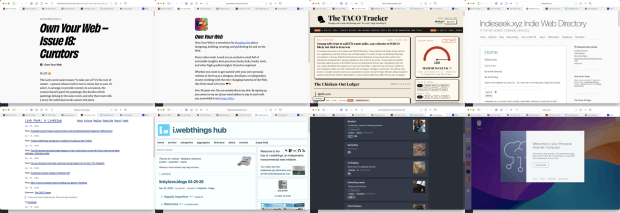
Montage of screenshot of thewebpages linked to in the article. Own Your Web – Issue 18: Curators • Buttondown Own Your Web • Buttondown About - Link Punk: A Linkblog i.webthings hub Commonplace Puter

I’ve not posted a set of links for a while, keep saving them, but retired life is busier than I thought it would be. I am prompted by this newletter post:

Own Your Web – Issue 18: Curators

So every time you share a link on your blog, every time you write a few sentences about why someone else’s work matters to you, every time you add a new entry to a blogroll or a links page – you are a curator. You are doing what no algorithm can do. You’re saying: I am a person. I read this. I think you should read it too.

There is a good selection of links to link curators.

I am not sure when I subscribed to Own Your Web

Own Your Web is a newsletter by Matthias Ott about designing, building, creating, and publishing for and on the Web.

But it is great. There is an RSS feed too.


The TACO Tracker: Every Time Trump Chickens Out

Trump won’t stop chickening out. We won’t stop tracking it

One of the more amusing uses of AI

Via brad who has the Indieseek.xyz Indie Web Directory

Indieseek.xyz is a small human curated, searchable, directory of web links to both websites and to individual web pages. We try and list pages that are informative, fun, classic and useful

And

Link Punk: A Linkblog

Just a linkblog, mainly for articles and individual blog posts that I find and want to share. I think of this as me being a DJ only playing articles rather than songs.

Brad also post funny political thoughts most days on mastodon.


Another great source of links is Joe Jennet
i.webthings hub

Welcome to the hub of i.webthings, an independent, noncommercial web initiative

Joe credits where he finds his links which can lead to some other interesting directories.


Commonplace

Commonplace is a self-hosted, federated link-collection manager. You can create curated collections of links and share them with followers across both the Fediverse (Mastodon, Pixelfed, etc.) and Bluesky — without creating new accounts on either network

Created by Doug Belshaw. And changing quickly. I am logged on via indieAuth, which is nice. I’ve created a few collections, the largest so far is AI Reading. It is always interesting to try out new pieces of software.

Commonplace allows sharing collections, suggestions and replies.

Commonplace now has a bookmarklet, which is for me essential. It grabs an image and description via open graph (I’d guess) to give a description. You can edit this and add curators notes.

I’ve used a bunch of link collectors over the year, delicious, pinboard, locally in the drafts app, on my site and a few more. I’ve not used pinboard much in the last few years. I feel a bit guilty about not updating my lifetime sub when pinboard changed to annual fees. Life-timers like myself could upgrade to a yearly fee. I didn’t. I mostly use drafts in a fairly disorganised way. At the very least commonplace is giving me the chance to think a bit about my link collection & sharing. It is also interesting to watch the development, as Doug is AI coding the site.


Here is an ‘real’ teaching and learning link. I’ve been doing the odd bit of supply and wonder if I should give this a go.

micro:bit CreateAI

micro:bit CreateAI is a free, web-based tool that makes it easy for students to explore AI through movement and machine learning (ML).

You can use micro:bit CreateAI to train an ML model and then run it on your BBC micro:bit V2.

  • Collect movement data from the micro:bit accelerometer
  • Train an ML model to recognise patterns in the data
  • Code the micro:bit to run ML models and take your creation anywhere.

And a last weird one.

Code seems like a computer on the web. You get a desktop. Also can create web apps and get access to AI. The UI has me baffled. I might not be the audience.

WordPress, the new HyperCard?⤴

from @ wwwd – John's World Wide Wall Display

Arrangement of tinker toys

Since I been trying out my.wordpress.net I’ve been thinking a lot about this.

Of course Alan has been there first: This is Not a Blog | wordpress as the new hypercard?

I spent a lot of time with HyperCard over the years1. Described as a “software erector set” and “programming for the rest of us” it was one of the inspirations for the web.

I used it for toys, tools and fun for pupils at school. I also made many utilities for myself. These did not need to be polished, just fit closely to my needs and tweak-able. For many years I used HC every day.

HyperCard could make mac application, but you could also run stacks (documents) in the application by itself.

Over the last few days I’ve been playing with my.wordpress.net which is a complete private WordPress in your browser. One of the limitations, at the moment, is that you get 1 instance per device/browser. I found that using Safari’s Add to Dock… feature, which gives you a single site application you can click and launch from the dock, allowed me to have several copies of WordPress that ran with a click. It began to feel a bit like HyperCard.

Like HyperCard you can edit the code while running. I mentioned here I was able to swap out the lyrics of the hello dolly plugin in a minute. Of course more complex things would need more skills, and php & javascript seem a lot more complex than HyperTalk to me.

The other thing HyperCard was great at was sharing ‘extensions’ external functions (XFCN) and commands (XCMD), similar to WordPress plugins.

At the moment My WordPress feels as it if useful for playing around, testing things quickly & safely and maybe making utilities for yourself.

I’ve already used it to explore a problem I didn’t understand, made a couple of test utilities and experimented with a them or two. This was much quicker than using the web.

I suspect that a ‘real’ single site generator app might give more options than Safari. One of the annoying things for me was that the open in New Tabs links in WordPress spawned windows all over the place. Switching from other apps became difficult. I got round that problem by asking claude.ai to create a simple plugin that switch all the links to same window. This now really reminds me of stacks.

Wondering

My WordPress makes it really easy to edit all of the WordPress files. That feels a little dangerous to me. I wonder if a better approach might be to have a wee plugin to add code when you need too. Sort of like functions.php in a child theme but theme independent. A system for JavaScript files could site in that plugin folder too? Both could be easily edited in the browser and keep me away from more risky files. I am pretty sure there are already plugins out there that do this.

Another application this reminds me of is TiddyWiki which I use to keep various notes. TiddyWikis are single html files. I have multiple wikis that run from the TiddlyDesktop: A custom desktop browser for TiddlyWiki 5 and TiddlyWiki Classic. I could imaging something similar for My WordPress.

Other things in the mix include:

  • WordPress Playground which I’ve not used for more than a few minute, I am not sure what the differences between the playground and my wordpress are? It looks like my WordPress is for longer term ideas.
  • Blueprints Blueprints are json files used to set up a WordPress Playground instance. I briefly tried Pootle Playground – WordPress Blueprint Configurator which easily produced a blueprint linked to playground and when opened started WordPress installed the themes and plugins I had added like magic. I think this would be a great way to share apps. Not sure if you can use it with My WordPress? yet?
  • Playground has a setting to set up a multi-site. That might be interesting in My WordPress…
  • Telex, Describe your idea. Telex will build a WordPress block or theme for you.

Finally:

Next up, we’re going to add peer-to-peer sync, version control integration, and cloud publishing so other people can access it.

WordPress Everywhere | Matt Mullenweg

Featured image Tinker Toys by Flood CC-BY-NC-ND

  1. My favourite piece of software, followed closely by SuperCard. ↩︎