Tag Archives: links

Life in Links 66⤴

from @ wwwd – John's World Wide Wall Display

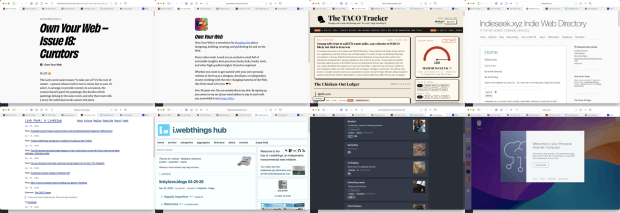
Montage of screenshot of thewebpages linked to in the article. Own Your Web – Issue 18: Curators • Buttondown Own Your Web • Buttondown About - Link Punk: A Linkblog i.webthings hub Commonplace Puter

I’ve not posted a set of links for a while, keep saving them, but retired life is busier than I thought it would be. I am prompted by this newletter post:

Own Your Web – Issue 18: Curators

So every time you share a link on your blog, every time you write a few sentences about why someone else’s work matters to you, every time you add a new entry to a blogroll or a links page – you are a curator. You are doing what no algorithm can do. You’re saying: I am a person. I read this. I think you should read it too.

There is a good selection of links to link curators.

I am not sure when I subscribed to Own Your Web

Own Your Web is a newsletter by Matthias Ott about designing, building, creating, and publishing for and on the Web.

But it is great. There is an RSS feed too.


The TACO Tracker: Every Time Trump Chickens Out

Trump won’t stop chickening out. We won’t stop tracking it

One of the more amusing uses of AI

Via brad who has the Indieseek.xyz Indie Web Directory

Indieseek.xyz is a small human curated, searchable, directory of web links to both websites and to individual web pages. We try and list pages that are informative, fun, classic and useful

And

Link Punk: A Linkblog

Just a linkblog, mainly for articles and individual blog posts that I find and want to share. I think of this as me being a DJ only playing articles rather than songs.

Brad also post funny political thoughts most days on mastodon.


Another great source of links is Joe Jennet
i.webthings hub

Welcome to the hub of i.webthings, an independent, noncommercial web initiative

Joe credits where he finds his links which can lead to some other interesting directories.


Commonplace

Commonplace is a self-hosted, federated link-collection manager. You can create curated collections of links and share them with followers across both the Fediverse (Mastodon, Pixelfed, etc.) and Bluesky — without creating new accounts on either network

Created by Doug Belshaw. And changing quickly. I am logged on via indieAuth, which is nice. I’ve created a few collections, the largest so far is AI Reading. It is always interesting to try out new pieces of software.

Commonplace allows sharing collections, suggestions and replies.

Commonplace now has a bookmarklet, which is for me essential. It grabs an image and description via open graph (I’d guess) to give a description. You can edit this and add curators notes.

I’ve used a bunch of link collectors over the year, delicious, pinboard, locally in the drafts app, on my site and a few more. I’ve not used pinboard much in the last few years. I feel a bit guilty about not updating my lifetime sub when pinboard changed to annual fees. Life-timers like myself could upgrade to a yearly fee. I didn’t. I mostly use drafts in a fairly disorganised way. At the very least commonplace is giving me the chance to think a bit about my link collection & sharing. It is also interesting to watch the development, as Doug is AI coding the site.


Here is an ‘real’ teaching and learning link. I’ve been doing the odd bit of supply and wonder if I should give this a go.

micro:bit CreateAI

micro:bit CreateAI is a free, web-based tool that makes it easy for students to explore AI through movement and machine learning (ML).

You can use micro:bit CreateAI to train an ML model and then run it on your BBC micro:bit V2.

  • Collect movement data from the micro:bit accelerometer
  • Train an ML model to recognise patterns in the data
  • Code the micro:bit to run ML models and take your creation anywhere.

And a last weird one.

Code seems like a computer on the web. You get a desktop. Also can create web apps and get access to AI. The UI has me baffled. I might not be the audience.

Some AI Links & Things to Think About⤴

from @ wwwd – John's World Wide Wall Display

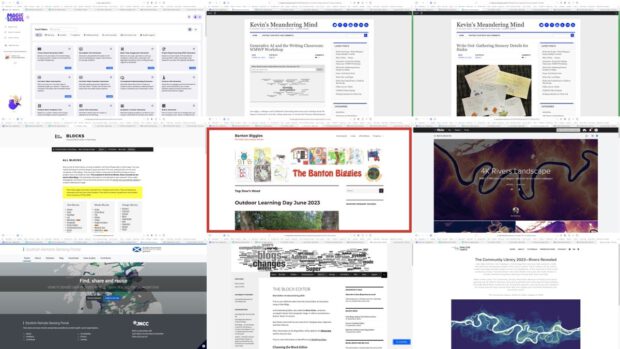
A montage of 4 webpage screenshots.

Bookmarked for future reading. AI in education is becoming increasingly confusing.

Education Scotland are running a week #ScotAI25: Scottish AI in Schools 2025 with live lessons for pupils & some cpd for staff. I might try to make some of those.

  • This week I’ve used:
    ChatGPT to make some questions up about a passage of text for an individual in my class; Write an example text about levers; create a formula for a number spreadsheet and create a regular expression.
  • Claude to make a fractions matching game and a trivia quiz.
  • I am occasionally using lovable.dev to play around making an alternative way of posting to WordPress.

I might have used ChatGPT a couple more times in school. Although it is accessible the login options didn’t seem to be so I’ve no history to check.

Quite a few teachers I know use it in some of these ways in a, like me, fairly causal way. This is a lot easier than thinking about any ethical and moral implication.

Life in Links 59⤴

from @ wwwd – John's World Wide Wall Display

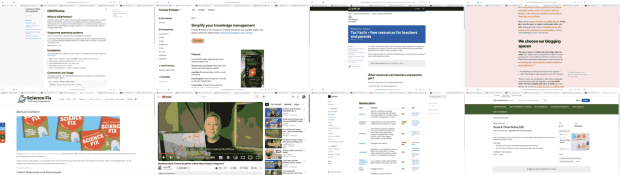
A montage of screenshots: OSXPhotos - osxphotos 0.68.6 documentation Forever ✱ Notes - A free framework for Apple Notes About | bcattools WordPress Block Themes Simplified: A Must-Watch Guide for Beginners! - YouTube Tax Facts – free resources for teachers and parents - GOV.UK The secret power of a blog – Tracy Durnell’s Mind Garden Bonus Content - Danny Nics Science Fix Digital Citizenship UK_Year 1-13 Progression 2023 - Google Docs

Tech

OSXPhotos

What is OSXPhotos?
OSXPhotos provides both the ability to interact with and query Apple’s Photos.app library on macOS directly from your python code as well as a very flexible command line interface (CLI) app for exporting photos. You can query the Photos library database – for example, file name, file path, and metadata such as keywords/tags, persons/faces, albums, etc. You can also easily export both the original and edited photos. OSXPhotos – osxphotos 0.68.6 documentation

This command will search for photos that are missing location data and look for the nearest neighbor photo within a given window of time that contains location information. If a photo is found within the window of time, the location of the nearest neighbor will be used to update the location of the photo. OSXPhotos Command Line Interface (CLI) – osxphotos 0.68.6 documentation

Forever

Forever ✱ Notes is not an app, but a simple framework and scalable digital note-taking method for Apple Notes. It’s free and created to last—forever. Forever ✱ Notes – A free framework for Apple Notes

Bellingcat Geolocation

This is your place to discover tools! Our toolkit includes satellite and mapping services, tools for verifying photos and videos, websites to archive web pages, and much more. Most of the tools that we include can be used for free. Geolocation | bcattools

Master Block Themes in 3 Steps!

WordPress Basics for Beginners: Master Block Themes in 3 Steps!
Food for Glow Blog’s Help. WordPress Block Themes Simplified: A Must-Watch Guide for Beginners! – YouTube

Between

The blog’s form is practically made for active learning, for sharing thoughts and updates over a span of time. The secret power of a blog – Tracy Durnell’s Mind Garden

Teaching & Learning

Pause & Think Online (UK)

Digital Citizenship UK_Year 1-13 Progression 2023 – Google Docs

This document outlines a mapping of Common Sense Education’s Digital Citizenship Lessons by topic, year and term.

Bonus Content Science Fix

My book Science Fix: Science Made Easy for Primary Teachers was released Oct 2024. There was a lot of content that I included in the early drafts that has had to be cut to make the book more manageable. from: Bonus Content – Danny Nics Science Fix

Tax Facts free resources for teachers and parents 

Tax Facts is HM Revenue and Customs’ free tax education programme for primary and secondary school students. It has resources to help children and young people learn about the UK tax system, from lesson plans to videos. from: Tax Facts – free resources for teachers and parents – GOV.UK

Life in Links 52⤴

from @ wwwd – John's World Wide Wall Display

Montage of screenshots of some webpages discussed in article

School

Magic Tools – MagicSchool.ai

MagicSchool is your AI assistant for all things teaching. We think #TeachersAreMagic – and we are on a mission to fight teacher burnout with Artificial Intelligence.

Limitations
May occasionally produce biased or inaccurate information
Only has knowledge up to the year 2021
Cannot search the internet or produce images (yet)

A large set of AI tools for teachers, I’ve only tried one so far. I wonder how they will make money. Sign up for fee is the only thing I can see. I’ve used ChatGPT is a fairly casual way, making crosswords questions and cloze procedures for H2P.

Kevin’s Meandering Mind | Generative AI and the Writing Classroom: WMWP Workshop

Overall, our intentional message was not “the world is ending so ban AI” but more, “this is our new reality, so how can we start to think of AI as a partner to help us as teachers and maybe help our students as writers?” and I think that theme really resonated with the educators who joined us last night.

Also from Kevin, Write Out: Gathering Sensory Details for Haiku which if the weather permits and we can get to the woods I’ll try next week.

Holiday rabbit hole

This

02 Mississippi River Sheet 15 Landscape

from Tom Woodward

lead to a collection of links including: Dan Coe Carto – The Community Library 2023—Rivers Revealed

Lidar (light detection and ranging) is a technology that uses laser light pulses to create intricate three-dimensional models of the earth’s surface. These models can be used to create stunningly detailed images of rivers and floodplains. These depictions often reveal previously unseen channels where rivers have flowed in the past and invite viewers to visually meander along these pathways through both space and time.

And some local data Scottish Remote Sensing Portal makes me wonder how difficult this would be, it would be nice to do from places I know.

Glow Blogs

I also spent a fair bit of time in the wet weather on Glow Blogs help. Although the classic editor is default on Glow Blogs, we are getting ready for using Blocks. I’ve been updating information and using the blocks editor to do so. I’ve tried all the blocks and am now a lot happier using it.

Featured image: a montage of screenshots of some of the lined pages, my previous script had a few problems with cookie banners, so this one used Safari & takes screenshots. Not as elegant and I think there are a few daft decisions, but it works.

Life in Links 51⤴

from @ wwwd – John's World Wide Wall Display

Some links and interesting things I’ve noticed over the last couple of weeks

Cardboard

I like using cardboard in school, some inspiration.

2023 C.A.M.P.The Cardboard CollectiveThe Warehouse

As a working artist, I engage with kids as co-creators, seeking to share knowledge and expertise in context as ideas unfold and discoveries are made. I also share the art research processes and methods I use in my own art practice, as we take on projects big and small.

Amber Dohrenwend, Artist – Cool Tools

Amber Dohrenwend is an American artist based in Marquette, Michigan. She constructs post-consumer cardboard sculptures, costuming and installations.

Blog | MQTCompass.com

Amber Dohrenwend build an art installation out of locally recycled cardboard strips.


Tech

FFmpeg Explorer!

A tool to help you explore FFmpeg filters.

My use of ffmpeg is very basic indeed, mostly taking images and making video from them. This is much more advanced. I remember trying to make a video grid. Altough that post claims a quick try it took me a while and gave me a real headach trying to expand the grid. FFmpeg Explorer has an example that shows you how with a click. (can’t recall where I got this one, but thanks)


TiddlyPWA — TiddlyWiki Storage & Sync Solution

Have you ever wanted to combine the power and customizability of TiddlyWiki and the convenience of a modern offline-friendly, encrypted, synced notes app? Now you can! With…

HT Joe I use TW a bit at a beginners level. This looks nice and the syncing is interesting.


Media

Take to The Streets | Eparapo

My daughter sent me this, nice.


Rear Window Timelapse – Jeff Desom

Meticulously assembled using After Effects and Photoshop, Rear Window Loop is a large scale projection that shows Alfred Hitchcock’s 1954 masterpiece as a never before seen panorama.

We were watching a tv show about Hitchcock, reminded me of this video.


Worrying

Daring Fireball: Twitter/X’s Descent Into an Antisemitic Cesspool

Antisemitism is more than just a form of bigotry and hatred, it’s a millennia-old conspiratorial crackpot worldview. And Elon Musk is seemingly sinking into it.

Still the social network of choice by schools in Scotland.


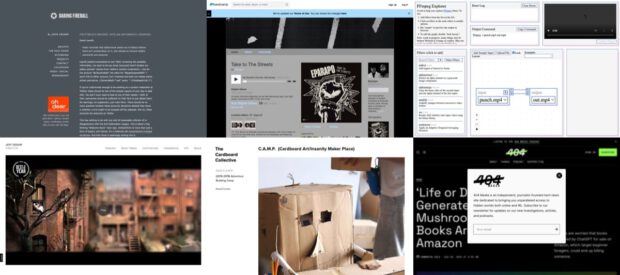
The featured images is a montage of screenshots of some of the links. I’ve done that twice, so made an AppleScript.

Links for Glow Blogs⤴

from @ wwwd – John's World Wide Wall Display

A couple of links for the future of Glow Blogs & one that is useful now (go Gutenburg).

Block theme generator – Full Site Editing

Submit the form to create a .zip file with your own WordPress starter theme for full site editing.

Part of WordPress full site editing and themes – Full Site Editing

Full site editing is a set of new WordPress features that helps us edit all parts of our website: Block themes, template editing, site blocks, and global styles.

Go Gutenberg – Learn the New WordPress Editor

Find Your Way Around Gutenberg introduces a brand new writing experience for your WordPress-powered site.

We’ll show you how to navigate the new interface and save time while editing.

Life in Links 43⤴

from @ wwwd – John's World Wide Wall Display

Featured image, spider and young, my own.

Life in Links 42⤴

from @ wwwd – John's World Wide Wall Display

The Spring Holidays, like others will increase my blogging. It has been a busy term both home learning and back in school. Looking forward to a holiday of wee walks (still stuck in Glasgow) and some random browsing.

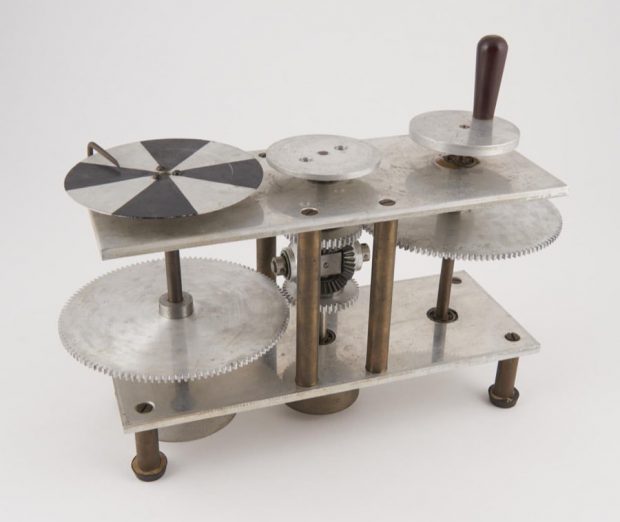
The Featured image is Maxwell dynamic machine, 1961 | Science Museum Group Collection © The Board of Trustees of the Science Museum Creative Commons Attribution-NonCommercial-ShareAlike 4.0 Licence found via the Never Been Seen | Science Museum Group Collection page, which I learnt about from Ian Guest

Life in Links – 40⤴

from @ wwwd – John's World Wide Wall Display

Every so often I come back to this idea of posting sets of rather random links. I love seeing them pop up on my on this day page. For organisation and discoverability it might be better to post links separately. Mostly in pinboard too.

I checked how many posts I had tagged lifeinlinks and that makes this one number 40.

Featured image, some branches against a blue sky today. convert branches.jpg -scale 900x -colorspace Gray -ordered-dither h4x4a branches.png

Escape Rooms⤴

from @ wwwd – John's World Wide Wall Display

Saving this here for following up after the summer break.

The concept had passed me by somehow until Mr Dorman from the @PedagogyTeamNLC introduced them to my class, which very much enjoyed by the children. I had planned on thinking about this a bit more, but other things happened.

Today Arron’s bookmark reminded me and took me to Librarians turned Google Forms into the unlikely platform for virtual escape rooms which links to this example: Hogwarts Digital Escape Room.

I’ve seem a few examples using OneNote and google forms before but this is probably the smoothest experience.

I had wondered if using password protected WordPress posts or pages would work.

I even make a simple set up Make an Escape which produces a sort of digital multi lock (all the answers are 123) before lockdown.

Today I started doing a little reading following Arron’s links, Breakout EDU Additional Game Creator Lab Resources – bit.ly/boeduresources – Google Slides looks as if it is worth borrowing from.