Tag Archives: #DigiWriMo

How I found the Daily Create⤴

from

Creative Bomb
Creative Bomb flickr photo by NomadWarMachine shared under a Creative Commons (BY-NC-SA 2.0) license

I found out about the Daily Create because I became part of an online community. As I’ve written before, in 2014 I signed up for an online experience organised by Dave Cormier called  Rhizomatic Learning – The community is the curriculum which I thought was going to be about Deleuze and Guattari, and even though it wasn’t I met a bunch of great people and am still collaborating with some of them in various ways a decade later. I was also introduced to CLMOOC and found many like-minded remixers and bricoleurs there.

As a result of meeting these people, and particularly thanks to my friend Ron Leunissen, I was introduced to #DS106 and the Daily Create. I dipped in and out of participation at first, only responding if a prompt really piqued my interest, but since November 22nd 2017 I have completed the daily challenge every day, without fail. I’ve also written about how important it is to me on a guest reclaim blog post, and I won’t repeat all I said there about the influence that this daily activity has had for me – but it’s a hugely important part of my daily life. Well, after 2894 days of participation it’s not surprising that it’s very much for me.

Onnotation⤴

from

I see everybody’s annotation. I applaud Terry’s innotation. Here I raise you all with my onnotation.

How I did this:

  1. Screen capped Terry’s post and saved it to my PC
  2. Drew a canary bird and scanned it to my PC
  3. Opened both in GIMP
  4. Cut around the tweety bird with the lasso tool
  5. Pasted as a layer into the screen cap image, positioned where I wanted it and exported the image with a new file name
  6. Moved the tweety bird and repeated, again changing the file name (onnotation1, onnotation2 …).
  7. I did this six times in total.
  8. Closed all the windows
  9. Opened all of the (six) images of bird-on-blog that I had saved as layers
  10. Exported as gif, tweeking the settings to get the animation to the speed I wanted (I chose a 200 millisecond delay).
  11. Saved to my PC.

A picture is worth 1000 words⤴

from

150 words

If a picture is worth 1000 words, I reckon I am giving you 150 words worth in the above image.

How I did this:

  1. Opened GIMP and found an image I liked from my files.
  2. Used Filters – Render – Patterns – Grid to impose a grid on the image.
  3. Dragged the width up so there were exactly 4 rows of boxes
  4. Used the rectangular tool to make it a 5×4 grid
  5. Opened a new window and pasted this in as a new layer
  6. Used the lasso tool to cut out 3 squares (proportion: 150/1000 words)
  7. Opened a new window and drew a 5×4 grid in above
  8. Copied the part of the image I had selected with the lasso  tool and added as a new layer
  9. Exported
  10. Uploaded to Flickr

Word limits⤴

from

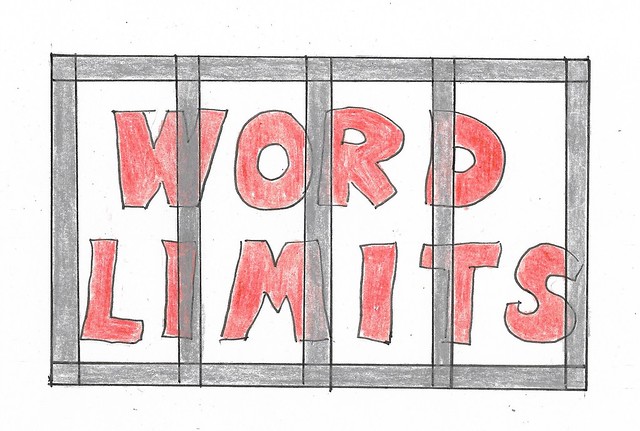
word limits

Busy days – holidays ending, a conference to prepare for. Not enough space to write. Still, I watch the conversations from the sidelines. Words constrain, words are constrained.

How many words are pictures worth? Nick’s post inspires me.

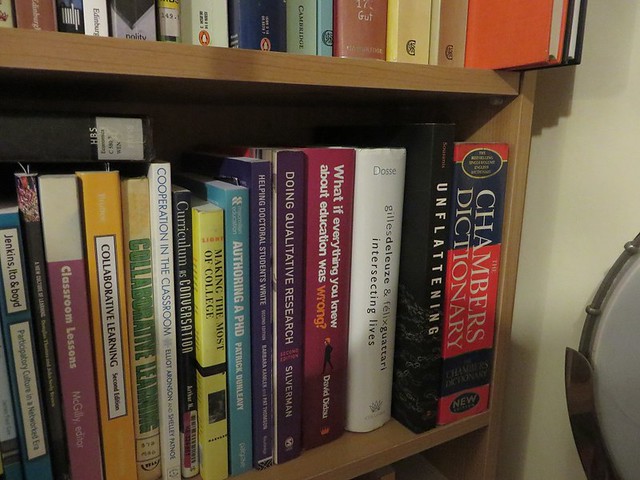
Bookshelves

I look over at my bookshelves to see if I still have a dictionary. I do, and am amused to see Nick’s book next to it. Serendipity again. Sorry, Wendy – I don’t feel like making  a word salad today.