We have been making some updates to the infrastructure that glow blogs runs on. In doing so we have also updated themes and plugins where updates have been available.
Themes
Theme updates have been applied to the “Twenty” series of themes.
Classic themes (2012–2016): almost invisible updates
Block themes (2022+): noticeable improvements in editing and patterns
The WordPress “Twenty” themes are regularly updated. We would recommend choosing one of these themes when creating a new site.
Things you may notice:
Better mobile layout
Cleaner typography and spacing
Improved block editor appearance
New patterns (in newer themes)
Plugins
The Yammer Plugin which allowed comments from Yammer on posts has been removed. Glow no longer includes Yammer so this plugin had no use.
These plugins have been updated:
Various Embeds, ePortfolio, Glow Analytics, Glow Register Blog Widget, UCAS Widget, WordPress importer, WP Accessibility, MegaMenu, 3D Flipbook, Search Filter, H5P, Youtube Embed Plus and Userway Accessibility.
All updates are about fixing bugs, improving compatibility, and making things work more smoothly. No major new features—just better reliability and performance.
We will be carrying out essential maintenance on Glow Blogs during this time. Unfortunately, this maintenance requires downtime and, as a result, Glow Blogs will not be available.
We apologise for any inconvenience this may cause.
All you need to do is create a canva and get a Public View Link, paste that into a post or page editor and the Canva is embedded. We have more details on the embeds blog Canva post. An Example:
WordPress 6.8 packs a wide range of performance fixes and enhancements to speed up everything from editing to browsing.
100+ accessibility fixes and enhancements touch a broad spectrum of the WordPress experience.
The Style Book is available in some classic themes, this gives you an overview of the standard styles in classic themes in the Site Editor style book. It is read only for our classic themes. Accessed via the Appearance -> Design section of the dashboard.
You can also access patterns for classic sites in the Design section, this allows you to add & edit patterns easily. Usefull if you have repeated content or repeat a type of content. Patterns are used in the block editor.
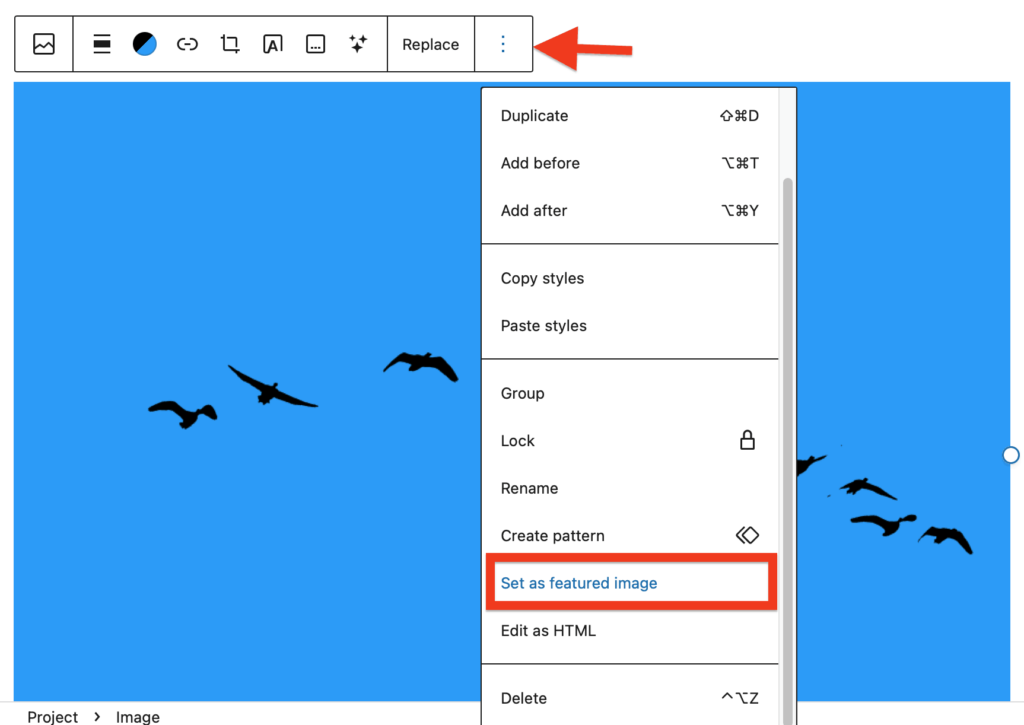
Block, images, you can set any image to site featured images.
The Full Site Editor
The FSE see some improvements. Especially in the views of Navigation, styles, Pages & Templates in the Editor.
Style Editor
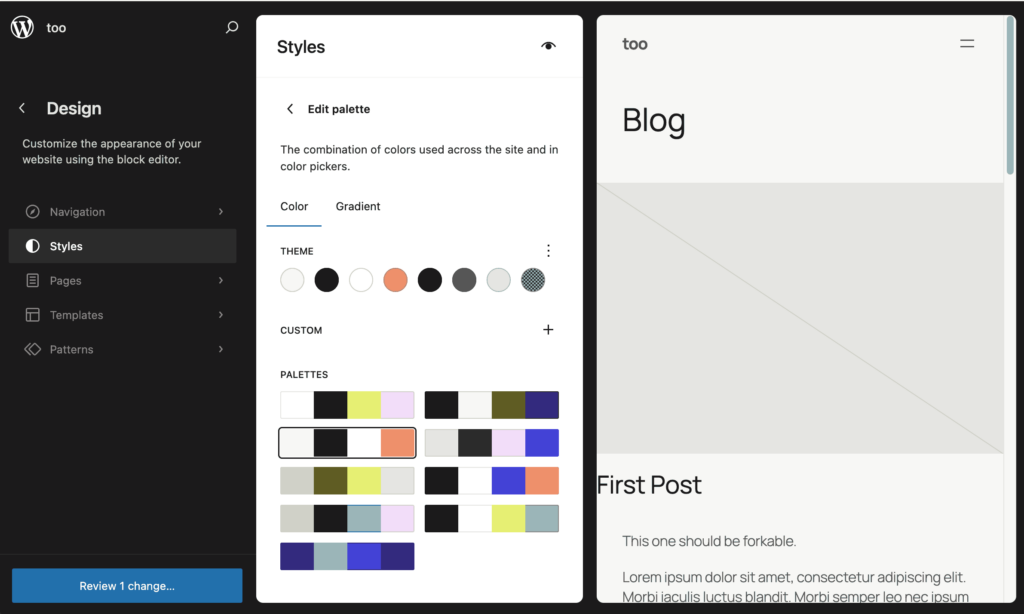
The Style Book has a new, structured layout and clearer labels, to make it even easier to edit colors, typography—almost all your site styles—in one place
Pages in the Editor
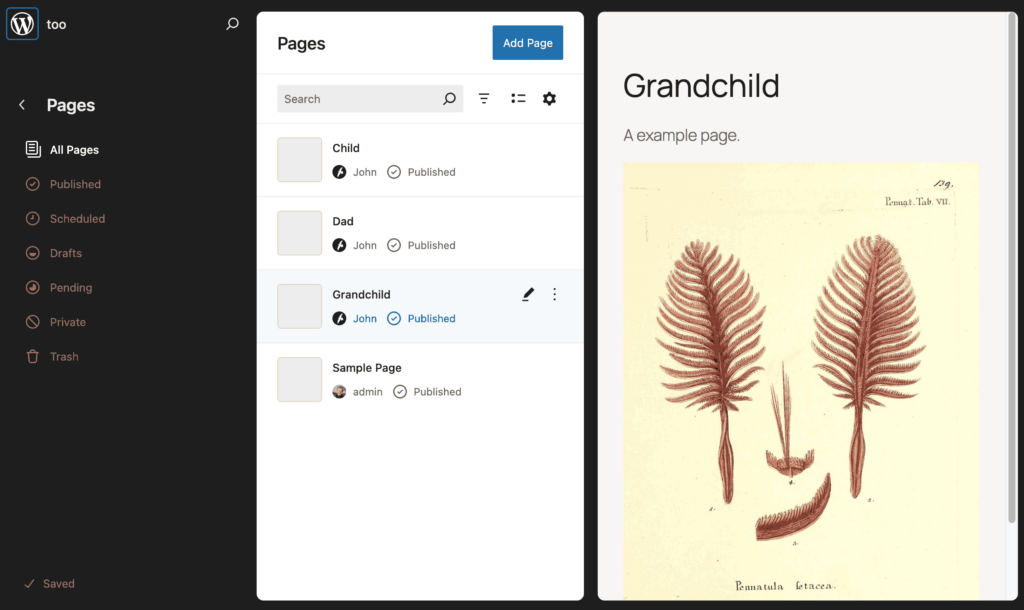
Pages listed & can be edited in the Appearance-> Editor section of the dashboard.
This issue has been fixed with a release on Monday 13 October. PDFs now upload as expected.
An issue with pdf uploaded to Glow Blogs has recently developed. Our developers are looking at the issue to create a fix.
The issue is that pdfs uploaded to Glow Blogs are ‘truncated’ to one page.
We hope this is fixed soon. There are a few workarounds you can use in the meantime.
Workaround 1 Media Settings
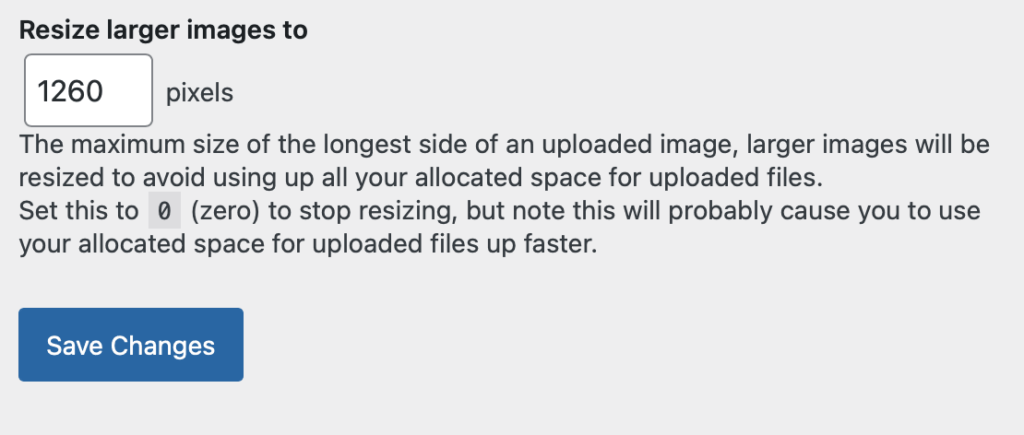
In your dashboard Settings -> Media
set the Resize larger images to setting to 0 and save.
This has the disadvantage that it will allow you to upload very large images to you blog without resizing. This will take up space on your blog very quickly. We recommend that you change the setting, then reset it to 1260 after uploading PDFs.
Pdf uploaded after changing settings using the file block.
This release contains a couple of improvements and some general updated.
Additional CSS
We have restored the ability to add additional CSS in the customiser and the Styles of the Site editor. You can again edit the styles of your site. Read more on the new CSS page.
New Plugin: Contact Form Block
We have added a new contact form with Google reCatcha v3 to Block themes. The Jetpack contact forms did not work in the block editor. You can now use this plugin in Block Theme sites. Read more about the plugin & other form options on the Contact Form page.