Hi everyone!
The focus of CLPL for the Falkirk RAiSE team this week is vibrations and waves with a particular focus on sound.
As always, there are resources saved on our Teams page which you are more than welcome to use/adapt/add to as you wish. If you are already a member of the team click here for resources.
To join our STEM – RAiSE Falkirk Team type the code is188td
We would really appreciate your feedback. Thank you!
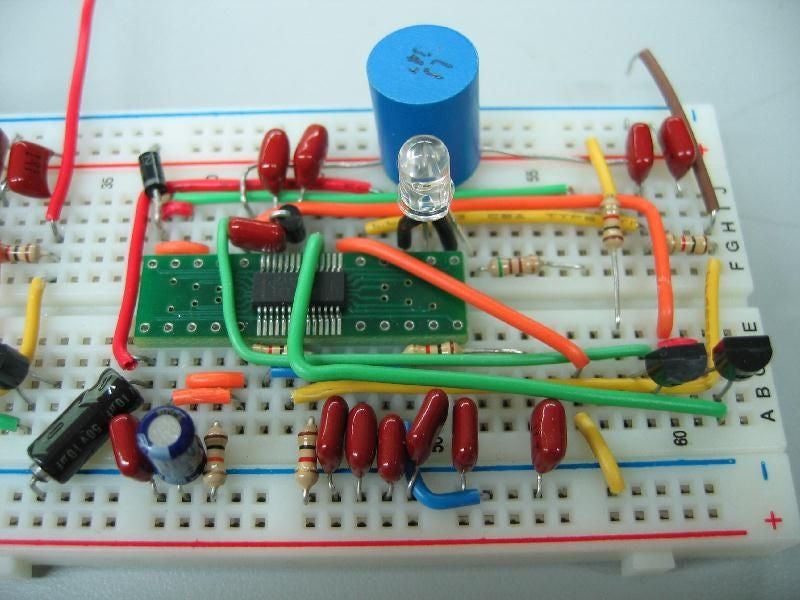
I teach this as part of the engineering science curriculum using a mixture of software and breadboards.
It is a topic which I enjoy but always with an element of trepidation, will the kit work (blown bulbs, loose wires etc.), are the multimeters on the correct setting, will there be lost components? Pupils amaze me every time finding a creative way for things to go wrong. Last week however I started using the playdough circuits and I have never had so much fun!
There is so little to go wrong and the components are so cheap that if it breaks I could just use a different one. The circuits are very flexible having their own glue so mounting circuits onto a project is easy. There are no long wires to move about or cram into a small space. This low tech option could be good for returning to school and providing small amounts of kit for experiments. Have a look at the first level video and see what you think.
To highlight the good practice already going on in Falkirk W/C 11th May Mrs Jones from Carmuirs Primary School produced an excellent week long task on electricity for her P6 pupils using Wakelet. This could be a useful approach for STEM during blended learning. Check it out here.
The resources for all three levels for this topic are in the teams files as usual in the CLPL folder. If you are a member of the team click here for resources. This week we’ve included possible novel studies which the topic of electricity could be covered as part of.
To join our STEM – RAiSE Falkirk Team type the code is188td
We also really appreciate your feedback, if you could complete the microsoft form below we would be very grateful.
Sharing video content with learners can be tricky for a number of reasons – first, the files are often so big that they take up a lot of storage on your online learning platform (website/app/teams etc). Moreover, if you are staring a recording of you reading a story, there are copyright issues that may affect it. Also, you just might not want your video visible to the whole world.
The below video tutorial looks at the best way of hosting your videos privately and posing them to a specified group of people (e.g. your class)
I really hope it’s helpful.
I am starting to build and grow my YouTube channel with more regular content and would really appreciate a subscribe on the channel. If you could ‘like’ any videos that you find helpful, it will help me tailor my videos to things that will help you.
The media really is giving teachers a bashing just now during the COVID-19 lockdown, with many outlets saying that we are not doing anything. I know that’s not true. The amount of incredible online content and learning experiences that are being produced on a daily basis is incredible, and teachers have really risen to the challenge of keeping learners engaged online.
One way that can make this more simple and engaging for children is to use the free quiz app, Kahoot, to play quiizes and assign challenges for your learners – and the best thing is, you can share these quizzes on ANY platform that you are using to share learning – be it a school website, app, Microsoft Teams, Google Classrooms, Zoom etc. However you are engaging your learners, Kahoot is free and readily available.
Here is a short video tutorial about how to get the most out of Kahoot and really engage your learners.
Take care and stay safe
Please do get in touch via Twitter if there are any tutorials that you’d like me to create or questions that I may be able to answer.
Glow is a really powerful platform for connected learning, however we still often don’t engage as well as we could – I myself am guilty of that.
With COVID-19, suddenly we have been forced to reconsider everything we know about delivering learning experiences and are turning to online platforms.
Many schools are considering using Teams (who aren’t already) after the holidays, but not all staff and pupils feel confident in using it. I have, therefore, created tutorial videos for teachers and pupils on Twitter, and will share below so that they are all in one place.
Please take care and stay safe.
Donald
For Teachers
Setting up Teams for your class on Glow
You will need a glow account in order to do this.
Sign into Glow at glow.rmunify.com and follow the below tutorial to add ‘Microsoft Teams’ to your launchpad, find your class’ login details (you will need to find a way to send these out to pupils) and set up your team.
The video also shows some of the features of Teams that you will be able to use to support children with their learning.
When changing passwords for the children, I would recommend using one password for everyone and ticking the box which allows them to change their password. This is an excellent way to start a conversation about the importance of keeping passwords safe and secure.
If you forget to tick the box allowing pupils to change their password, don’t worry as I will cover how pupils can change their own password in my tutorial for them.
The official Glow quick-start guide can be found here
If any of your pupils do not have a Glow account, this needs to be set up on SEEMIS Click and Go. Your school admin or SLT should be able to do this.
This video is an in-depth look into using Teams. I have tried to keep it as simple as possible, so for more advanced features please check out some other readily available tutorials on Teams. This looks at an overview of what the Teams experience will be like for you and your class, with a demonstration video meeting as well.
Use the timecodes below to skip to the relevant sections.
Video Timecodes.
1. Join or Create a Team (1min 18s) – find out how to create your own class team or join a team.
2. Activity and Chat (3 mins 02s) – Take a look at the ‘Activity’ and ‘Chat’ options in the left-hand menu.
3. Assignments and Quizzes (3 mins 55s) – Learn how to set assignments and create quizzes for your class team all within the application in the left- hand menu.
4. Calendar and Meetings (4 mins 43s) – Learn how to create meetings for your class (video lessons) using the calendar option on the left-hand menu.
5. Calls, Files, and Other Options (6 mins 31s) – Find out about the final left-hand menu options.
6. Inside Your Team (7 mins 15s) – Learn about all of the options you have inside your team page, such as hosting quick video meetings, text conversation, team files, applications, and giving out reward points.
7. Channels (11 mins 44s) – Learn about channels and how they are used.
8. Hosting a Meeting (12 mins 27s) – Take a look at what it is like to host a meeting with an on-screen mock meeting, and see the options that you have including sharing your desktop for the class to see PowerPoints etc while you’re talking.
9. How to Mute and Use Chat (16 mins 50s) – This is really underrated but so important in teams meetings in order to prevent glitching audio and nonsensical dialogue.
10. Pupils Sharing (18 mins 21s) – See how pupils are able to share their screen and examples of their work during a meeting (they can also upload to the files/conversation)
Using the Teams App – common troubleshooting
A common troubleshooting issue when signing in to the mobile & desktop app is using the full glow email extension. This quick video will talk you through using the Microsoft Teams app on any device.
Ideas for using Teams
For ideas about ways to get started using Teams, check out Malcolm Wilson’s blog post here and follow him on Twitter @claganach.
For Children
Please feel free to send the video links via your communication platforms to children that you want to support in accessing Glow and Teams.
Video 1 – How To Set Up Your Glow Account
URL to share with pupils: https://youtu.be/FCnTV0sBtn8
Video 2 – How To Set Up and Use Teams
(Make sure to set up your Glow account before watching this video; video 1 will help you with that)
URL to share with pupils: https://youtu.be/EoRLC6xjyeQ
Free resource at the bottom of the blog post (but lots of info about it in the post, so still worth a read!) I had hoped to complete all 50 cards before publishing, but with lots on at school and in my ‘other’ life, I’ve taken a slight pause on making the next 26!
Rationale
I set out to make reading cards, as I am always disappointed by the range of ‘non-babyish’ materials that are available to children who struggle with reading, or with engaging in reading. However, I also feel passionately that continually having ‘different’ resources to work on in the class from peers can have an equal off-putting effect. I’ve been reading a lot recently on effective differentiation, and so wanted to think about how a resource would be accessible enough to engage readers who struggle for all sorts of reasons, but provide enough challenge to push higher achieving children. Effective questioning seemed to always be the solution. Each resource uses HOTS questions to provide challenge accessible to all. Having tested these resources in class with a range of learners, and from tester feedback, it has been interesting to note that there was a real equity amongst the majority of learners. Children who often struggle with reading were able to attempt (and sometimes even overtook) other learners in the class. I did support in reading through the text with some children, but then let them attempt the questions independently. I would especially like feedback on how effective this is in your class – do the texts work for the whole class? What can I improve on and do better in the next 25?
For all of the cards, I have used the font Open Dyslexic, as, whilst it doesn’t help with comprehension, it does support learners (like me) for whom letters do sometimes enjoy mixing themselves up on the page – it won’t make a huge difference, but even the slightest change is a positive in my mind. You can download the font for free here.
How the cards work
Truthfully, this is up to you. I have not provided an answer sheet as many of the questions require a personal or creative response – but also, I think the power and challenge of the cards are the discussions that you and your learners can have. Additionally, context and additional information are sometimes available in the questions rather than just the text (sometimes I have omitted any reference to child gender in the text, but have noted it in the cards). This should provide opportunities for developed questions such as ‘ is this child a boy/girl’, can you find evidence in the text to support this (and hopefully, this can bring up discussions about gender bias also). I also would hope that children can use them to make their own HOTS questions.
There is an info card about HOTS questions in case you are not familiar with them. Interesting to note, some of my children questioned why the ‘what is ‘it” question in card 2 is a remembering – I had it as such because I felt the picture was part of the text – but one child said they thought it should be applying as they had to apply all of the context clues to visualise the monster (I’ve paraphrased here, clearly, as I can’t remember her exact words; but I was very impressed by the challenge of her thought) – hopefully this can be something that learners will start to develop and challenge ‘why’ questions are categorised as a way of developing their own thinking.
Thanks
There are many people to thank for their support in making these. Firstly, to @STPBooks for providing two of the texts and images used in the cards. Secondly, I am poor at proof-reading my own work (as you may be able to tell from my blog post…) so, I am very grateful to @KarenDScotland, @vasilionka_lisa,@lovepookiecat, @ScullionGreg, @mamamialia and @LynnRichmond20, for proof-reading for me and for your incredibly detailed feedback: some were pages long and I so appreciate the time that you spent reading through them to help me.
Resources
Due to the size of the PDF, I have had to split these into separate cards – sorry, I know it’s a pain!
It’s been quite some time since my last post – my BIG STEAM Escape Room which has had an amazing response; thank you.
I have been continuing to develop resources, but with a much greater focus on reading. If you follow me on Twitter you will know that I am currently making a reading resource for struggling readers. You can find out more about it here.
Today though, I have created a before, during and after visual aid for classrooms as I find the ones that are currently online lack clarity for children and often don’t have question prompts to help them use the strategy. I have made these for my own classroom, but there’s no point in me keeping it to myself.
They have not been proof-read by anyone, so if you do spot any errors, please feel free to give me a heads up – you can DM me on Twitter – and I will update the resource. Similarly, if you think I missed out something or could have done one of the posters better, again please let me know via DM.
Hope it’s helpful. You can download the PDF of each poster below.
I have taken quite a break from blogging, and probably won’t go back to doing it weekly, but I look forward to sharing as often as I can.
Today, I have completed a resource that I have been working on for quite some time – The BIG STEAM Escape room. It is 30 pages of active STEAM fun that should engage and challenge your learners, and can be reused up to 6 times with the same class. I will be publishing it to TPT next week as it has taken a lot of time to produce, but am also posting it here for free, and it will remain free on here even after I have published it to TPT. I would really welcome feedback as it has not been proof-read by anyone other than myself, so if you have a few minutes, I would be really grateful!
I will be using it with my P5/4 class this year, and have purchased combination padlocks (however, it works as a resource without buying anything – you can use the answer cards or even an iPad to the same effect – I just like the idea of the children physically cracking a code!)
The resource should be self-explanatory, so I won’t go into detail here – though, it is too big to put into one file, so it is saved below in sections.
I hope you have an excellent start to your term. If you do use it, I’d love to hear how your class gets on – please tweet me @mrfeistsclass with photos, comments or stories from the session.
Lots of great things on the @impactwales twitter account, often in nice ‘sketch’ format. Here are some ways to have your pupils work on retrieval practice.
I’ve been reading a few things about inferential comprehension. Many of the articles I’ve read lead to similar conclusion, it’s a knowledge thing, rather than a practice/skill thing. This article sums up many of the ideas.
Feedback is one of the most cost effective ways to ensure pupil progress. There are lots of ways to do this, and there are some articles which suggest marking of books is the least time effective way of delivering feedback. There is an article from TES about effective feedback here and there are ideas for providing feedback here.
A really interesting article about school’s use of social media and parental engagement which may be connected to it. Our school has improved it’s use of twitter over the past 12 months and all staff are engaged with it. I think our children could have more of a ‘say’ in it’s use and maybe that is something that our Community Council could discuss.
Our parents have engaged with it. The numbers, likes, replies etc are there for all to see, and it’s grown over the year. I’m no entirely sure what Local Authorities/Government agencies/Governments are after when they use the term ‘Parental engagement’.
Is it that we’d like parents to ‘support’ their child by making sure they do any homework we set each night (and maybe not letting their child go to dance, football, scouts etc)?
Is it that we’d like parents to raise money for the school (although I’m of the opinion that school should be funded well from our taxation systems, not from the hard work of volunteers)?
If parental engagement with school is so vital, what should our outside agencies do through a mixture of support and ‘punishment’ to ensure it happens? (Parents were fined at one point for taking a term time holiday- was that an effective punishment?)
Here are some things I thought worth putting to one side via pocket this week.
I’m reading lots of things about how we learn and the best ways to get children to learn, this blog post is all about Rosenshine’s principle of instruction.
I’ve also been reading a lot about tier 2 vocabulary and think it’s definitely an area I’d like to develop within my class (and I’ve set about it in the last couple of weeks in a basic way) Here are ways to teach tier 2 vocabulary.
Estimation in maths. I keep meaning to do it but… Well there are lots of online resources to give children practice in it, and linked to a bit of number talks these make a great start to a maths lesson. Here’s one I noticed this week.
Good tips on mixed ability maths teaching here from Third Space Learning. You’ll need an e-mail address to get them, but I reckon they’re worth a read.
Image – James Clay. https://www.flickr.com/photos/jamesclay/




 Remember to check in via Teams or Glow this week.
 Today, I have completed a resource that I have been working on for quite some time – The BIG STEAM Escape room. It is 30 pages of active STEAM fun that should engage and challenge your learners, and can be reused up to 6 times with the same class. I will be publishing it to TPT next week as it has taken a lot of time to produce, but am also posting it here for free, and it will remain free on here even after I have published it to TPT. I would really welcome feedback as it has not been proof-read by anyone other than myself, so if you have a few minutes, I would be really grateful!
