Tag Archives: privacy

Advice – Changing Privacy Levels⤴

from @ Glow Blog Help

There can be a problem with changing privacy levels on a site with a lot of media (photos, video, audio etc.).

We are planning a change to Glow Blogs to prevent this. In the meantime we have some advice around changing site privacy.

The problem only affects sites with a lot of media.

When you make a privacy change all of the media files are moved. When there is a lot of media this can take some time. If you delete media from the Media Library while this change is taking place the process can become stuck and will need intervention from our developers.

You can avoid this problem by waiting until the media is all moved. You can view progress in the Dashboard setting page where you change privacy. A banner appears explaining that you cannot change privacy until the media has been moved.

Media is currently being moved to/from the public area, so Blog Visibility cannot be changed at the moment.

Revisit the page later or refresh your browser periodically, and wait until the notice disappears before you edit media.

If you are planning to remove media and change the privacy of the site, delete the media first. This will avoid problems and speed up the media move.

It also helps to change the privacy setting as infrequently as possible.

If you are changing privacy to hide a post or page while you do some editing there are simpler and less risky ways to do this:

  1. Set the status for the page or post to Draft. You can work on the page or post and preview it while it is a draft.
  2. Set the status to Pending Review.
  3. Password protect the page.

You can change the status of multiple posts or pages in the Dashboard (Post on the Posts screen, Pages on the Pages screen). Just select them and use the Bulk actions dropdown choose Edit and click Apply.

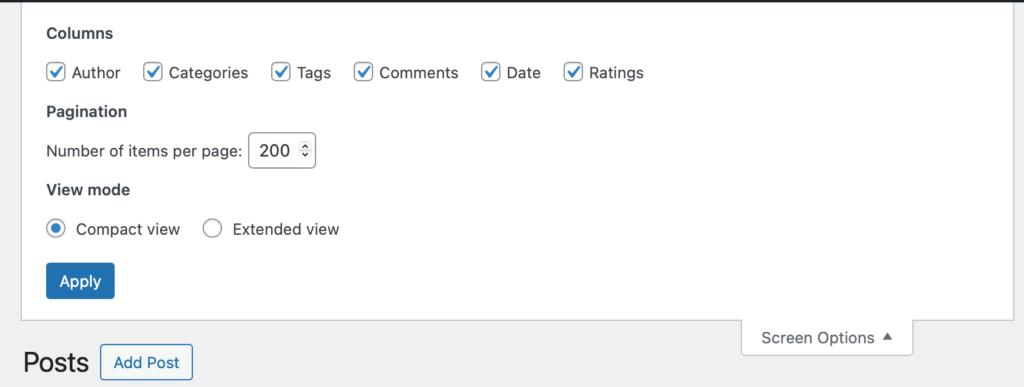
Tip: When working with multiple posts and pages you can change the number of items on the screen in the screen options at the top of the page.

Screenshot of the screen option on the top of the posts page of the dashboard-collapsed

Expand that section and change Number of items per page: to 200 (The maximum)

Screenshot of the screen option on the top of the posts page of the dashboard-expanded

And press Apply. You can now edit 200 posts or pages at once.

Liked: Contra Chrome⤴

from @ wwwd – John's World Wide Wall Display

Liked Contra Chrome (contrachrome.com)

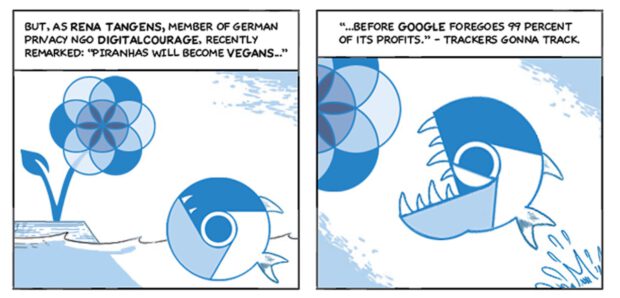
In Contra Chrome, Leah carefully charts this road and its terrain in a funny and easily accessible way. In webcomic form, she documents how over the last decade, Google’s browser has become a threat to user privacy and the democratic process itself.

Contra Chrome is a pretty amazing pice of work from any angle.

The fair use of Scott McCloud‘s Google-commissioned Chrome comic from 2008 is a nice touch.

I like Instagram but..⤴

from @ John's World Wide Wall Display

I’ve seen this linked a few times recently, finally clicked.

– […] we may keep, use and share your personal information with companies connected with Instagram. This information includes your name, email address, school, where you live, pictures, phone number, your likes and dislikes, where you go, who your friends are, how often you use Instagram, and any other personal information we find such as your birthday or who you are chatting with, including in private messages (DMs).

from: A lawyer rewrote Instagram’s terms of service for kids. Now you can understand all of the private data you and your teen are giving up to social media — Quartz

I’ll be sharing this with my pupils soon.

    Turning off some Google juice, back to thing 4⤴

    from @ John's World Wide Wall Display

    IMG_0163.jpeg

    Although I’ve not been blogging about all of the 23 things, I’ve though a little about most of them. This item from my feed reader:

    Google Has Quietly Dropped Ban on Personally Identifiable Web Tracking – ProPublica got me thinking more about thing 4 digital security

    To opt-out of Google’s identified tracking, visit the Activity controls on Google’s My Account page, and uncheck the box next to “Include Chrome browsing history and activity from websites and apps that use Google services.” You can also delete past activity from your account.

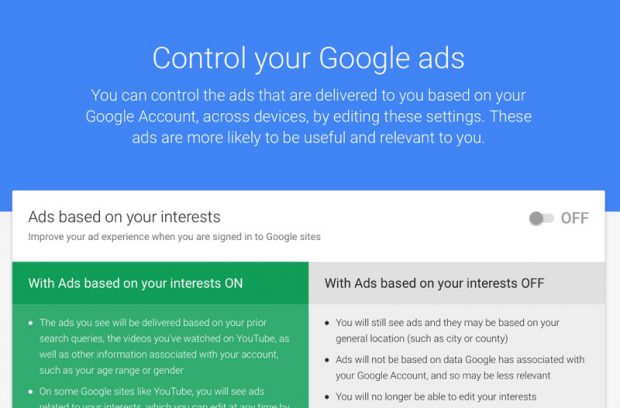
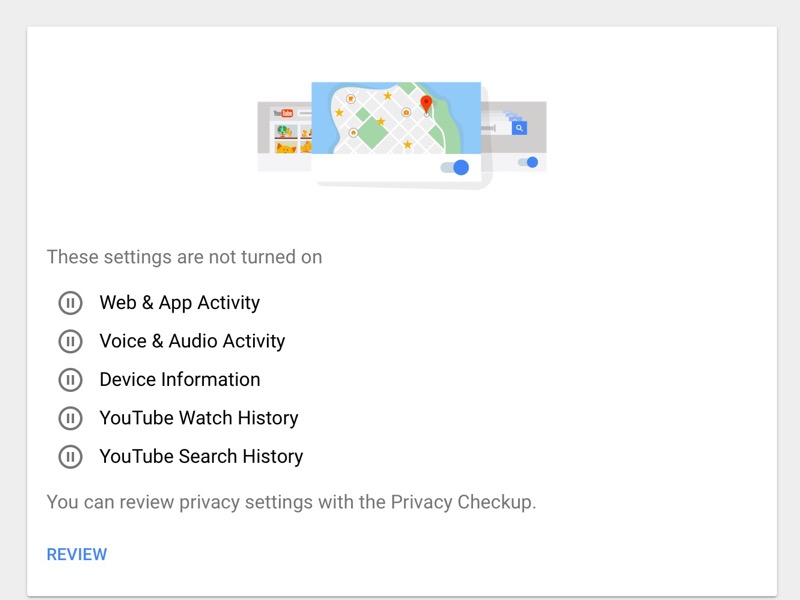
    After that I headed over to the Google My Account page and turned off as much as I could.

    Turning off some Google juice, back to thing 4⤴

    from @ John's World Wide Wall Display

    IMG_0163.jpeg

    Although I’ve not been blogging about all of the 23 things, I’ve though a little about most of them. This item from my feed reader:

    Google Has Quietly Dropped Ban on Personally Identifiable Web Tracking – ProPublica got me thinking more about thing 4 digital security

    To opt-out of Google’s identified tracking, visit the Activity controls on Google’s My Account page, and uncheck the box next to “Include Chrome browsing history and activity from websites and apps that use Google services.” You can also delete past activity from your account.

    After that I headed over to the Google My Account page and turned off as much as I could.

    Leaders and Monitors: The best and the worst of education technology⤴

    from @ Open World

    Last week I attended the Holyrood Connect Learning Through Technology event where I saw a rather jawdropping demonstration of the very best and very worst that education technology has to offer. The best, and it really was wonderful, came from teachers Natalie Lockhead and Nicola Paterson, and pupils Rebecca and Stephen from Kirklandneuk Primary School, who are part of the school’s Digital Leaders Network. The Digital Leaders Network encourages children who are confident with using all kinds of technology to support their teachers and peers by sharing their skills and knowledge, while at the same time enabling the children to develop confidence, literacy and skills for life.

    Stephen and Rebecca stood up in front of an audience of over a hundred delegates and spoke confidently and articulately about the importance of the Digital Leaders initiative and how much they enjoyed and benefitted from being part of it. Inspirational has become a rather throwaway term used to describe speakers, but these young people really, truly, were an inspiration.

    Their honesty, enthusiasm and willingness to share was in stark contrast to the previous presenters and event sponsors Lightspeed Systems who presented their “online safety and web filtering systems” for education. As well as just blocking content, Lightspeed’s Web Filter also incorporates hierarchical filtering “to keep students safe, even when they leave the classroom,” along with web activity reporting functionality “from the high level to the detail”. I presume in this instance “the detail” means individual students.

    According to their press, Lightspeed Systems create tools to help schools manage and filter their networks as well as empower classroom learning. There  doesn’t seem to be any mention of trivial issues such as privacy, ethics and consent. One of their products, Classroom Orchestrator, is designed to allow teachers to monitor students screens and devices “making it easy to see who’s off-task, who needs extra attention, and who’s excelling”. Orchestrator allows teachers to view all students screens from a dashboard, “ensures safety by seeing who is protected by the webfilter and who isn’t”, and perhaps most worryingly, “record sessions to store a students activity to share or investigate.” This immediately rang all sorts of alarm bells; where is that data being stored, who owns it, who has access to it? Although Lightspeed’s products are primarily designed for use on schools’ own mobile devices, the presenter added that they can also be installed on children’s own mobile devices and can be used to monitor their web activity outwith school hours. Apparently they’ve had, and I quote, “Lots of positive feedback about teachers taking control of and locking apps on students’ mobile devices.” That was the point where my jaw really hit the floor.

    I made a point of asking during questions who owned and had access to the data that Lightspeed gathers. The reply was that the data is stored on servers in the UK and clients have the right to access this data under the Freedom of Information act. Seriously? I asked again if clients really had to submit an FOI request to access their own data and the presenter replied that they could just e-mail their sales representative for access. I lost the will to live at that point.

    The contrast between the two presentations couldn’t have been more stark, and both demonstrated in quite different ways, why it is so important to engage children and learners in their own education, why we need to listen to them, not eavesdrop on them, and why we need to respect their privacy and consent. And most of all, it brought home to me just how critical trust and openness has to be in our use of technology in education. After all, if we don’t trust and learn from our children, how will they ever learn to trust and respect others?

    NB Throughout the presentation, the Lightspeed representative seemed to refer to Classroom Orchestrator as Classroom Monitor. There is another UK based ed tech company called Classroom Monitor that markets an assessment platform for teachers. There is no link between Lightspeed Systems and Classroom Monitor and their products are not related.



    Leaders and Monitors: The best and the worst of education technology⤴

    from

    Last week I attended the Holyrood Connect Learning Through Technology event where I saw a rather jawdropping demonstration of the very best and very worst that education technology has to offer. The best, and it really was wonderful, came from teachers Natalie Lockhead and Nicola Paterson, and pupils Rebecca and Stephen from Kirklandneuk Primary School, who are part of the school’s Digital Leaders Network. The Digital Leaders Network encourages children who are confident with using all kinds of technology to support their teachers and peers by sharing their skills and knowledge, while at the same time enabling the children to develop confidence, literacy and skills for life.

    Stephen and Rebecca stood up in front of an audience of over a hundred delegates and spoke confidently and articulately about the importance of the Digital Leaders initiative and how much they enjoyed and benefitted from being part of it. Inspirational has become a rather throwaway term used to describe speakers, but these young people really, truly, were an inspiration.

    Their honesty, enthusiasm and willingness to share was in stark contrast to the previous presenters and event sponsors Lightspeed Systems who presented their “online safety and web filtering systems” for education. As well as just blocking content, Lightspeed’s Web Filter also incorporates hierarchical filtering “to keep students safe, even when they leave the classroom,” along with web activity reporting functionality “from the high level to the detail”. I presume in this instance “the detail” means individual students.

    According to their press, Lightspeed Systems create tools to help schools manage and filter their networks as well as empower classroom learning. There  doesn’t seem to be any mention of trivial issues such as privacy, ethics and consent. One of their products, Classroom Orchestrator, is designed to allow teachers to monitor students screens and devices “making it easy to see who’s off-task, who needs extra attention, and who’s excelling”. Orchestrator allows teachers to view all students screens from a dashboard, “ensures safety by seeing who is protected by the webfilter and who isn’t”, and perhaps most worryingly, “record sessions to store a students activity to share or investigate.” This immediately rang all sorts of alarm bells; where is that data being stored, who owns it, who has access to it? Although Lightspeed’s products are primarily designed for use on schools’ own mobile devices, the presenter added that they can also be installed on children’s own mobile devices and can be used to monitor their web activity outwith school hours. Apparently they’ve had, and I quote, “Lots of positive feedback about teachers taking control of and locking apps on students’ mobile devices.” That was the point where my jaw really hit the floor.

    I made a point of asking during questions who owned and had access to the data that Lightspeed gathers. The reply was that the data is stored on servers in the UK and clients have the right to access this data under the Freedom of Information act. Seriously? I asked again if clients really had to submit an FOI request to access their own data and the presenter replied that they could just e-mail their sales representative for access. I lost the will to live at that point.

    The contrast between the two presentations couldn’t have been more stark, and both demonstrated in quite different ways, why it is so important to engage children and learners in their own education, why we need to listen to them, not eavesdrop on them, and why we need to respect their privacy and consent. And most of all, it brought home to me just how critical trust and openness has to be in our use of technology in education. After all, if we don’t trust and learn from our children, how will they ever learn to trust and respect others?

    NB Throughout the presentation, the Lightspeed representative seemed to refer to Classroom Orchestrator as Classroom Monitor. There is another UK based ed tech company called Classroom Monitor that markets an assessment platform for teachers. There is no link between Lightspeed Systems and Classroom Monitor and their products are not related.
    Draftback amazing document playback⤴

    from @ John's World Wide Wall Display

    Draftback is a Chrome extension that lets you play back any Google Doc’s revision history (for docs you can edit). It’s like going back in time to look over your own shoulder as you write.

    from: Get Draftback to Play Back Google Docs

    The above is not a video but an embed from Draftback!

    Quite amazing, in the short playback above you can see how horrible a typist I am and also see Ian Stuart adding text to the document at the same time as me!

    After I posted on G+ this Martian Hawksey commented with a link How I reverse-engineered Google Docs to play back any document’s keystrokes « James Somers (jsomers.net). Which give detail of the creation, a fascinating read.

    The data that Google stores is, as you might expect, kind of incredible. What we actually have is not just a coarse “video” of a document — we have the complete history of every single character. Draftback is aware of this history, and assigns each character a persistent unique ID, which makes it possible to do stuff that I don’t think folks have really done to a piece of writing before.

    And among explanations that go over my head things like this:

    When you’re using Google Docs, you’re not actually typing into where you think you’re typing. You’re typing into a textarea in an iFrame off-screen, and through the postMessage API, those events are being sent to the “edit surface” that you see, which does stuff like draw your cursor. (Your cursor on Docs isn’t actually a cursor, it’s a 2px-wide div!)

    from: How I reverse-engineered Google Docs to play back any document’s keystrokes « James Somers (jsomers.net)

    Would this be a useful tool in the classroom? For discussing pupil work or demonstrating writing?

    Can I Be Your Friend?⤴

    from

    From time to time, links to video clips which are particularly effective and worth sharing with pupils and parents alike, will be posted on this blog.

    The link below is to a fun video clip (created by English National Opera) which ably demonstrates how our actions, requests and even terminology used in the ‘online world’ can look very silly and desperate when translated into the ‘real’ world. This clip was shown to P6 and P7 pupils at Milton of Leys Primary yesterday (Mon 12th May’14) and generated much discussion and proved to be more thought provoking than originally expected.

    http://www.youtube.com/watch?v=aDycZH0CA4I