Tag Archives: secondary

Team MIEE Scotland 2020⤴

from @ Team MIEE Scotland

The amazing MIEExperts up here in Scotland are keen to help teachers across the country whenever they can. As well as sharing on Twitter, below you will find a list of those that you can reach out to in your Local Authority and beyond for help and support with using Microsoft Technologies in your class and school.

A badge with the Microsoft logo, a tree with coloured leaves and the words Microsoft Innovative Educator Expert on it.

This could be help with running a staff training session, ideas for in the classroom or any general tech questions you may have.

The MIEExperts have added their twitter handle to connect that way or you can complete the contact form at the bottom of this page and someone will be in touch.

Members of Team MIEEScotland can be found in schools, colleges and councils all across the country.


Name Local Authority Level Twitter Handle 
Andrew Bailey Angus Secondary  andrewkbailey13
Mandy Davidson East Dunbartonshire Secondary AllM14891126
Jonathan Hull East Renfrewshire Local Authority @_jonathanhull
Duncan Macdonald Edinburgh Independent Sector
Jamie Steer Edinburgh Independent Sector @SteeringEdTech Image
Claire Pottie Edinburgh Independent Sector
Claire Cooper Edinburgh Secondary Ccooper1978
Lynsey McNamee Fife Secondary MissMcDesignTech
Simon Luxford-Moore Edinburgh Independent Sector MrLux4DMoore
Mike Alexander Edinburgh Independent Sector
Heather Aird Fife Secondary Miss_Aird
Malcolm Wilson Falkirk Digital Schools Award claganach
Tracy Mutter Falkirk Secondary FHSComputing
Emma Hedges Falkirk Primary MissHedgesVPS
Jacqueline Campbell West Lothian Secondary
Sarah Clark Fife Secondary sfm36
Dawn Jones Fife Local Authority DawnJonesICT
Gemma Sanderson Fife Local Authority gems_sand
Ian Gibson Fife Secondary gibsoni
Laura Peden Fife Primary l80pdn
Joe Weir North Ayrshire Secondary
Sam Menzies North Ayrshire Secondary @mrmenziesmusic Image
Rosslyn Lee North Ayrshire Local Authority rosjlee
Julie Sanderson Perth & Kinross Secondary breadalbanebus
Meg Brough Perth & Kinross Local Authority @digi_meg Image
Shelley Thomson Scottish Borders Secondary MrsTEHS
Amanda Pickard South Ayrshire Primary AJOBPickard
Lynn Robertson South Ayrshire Local Authority SACTechDigital
Kathryn Alcroft South Ayrshire Primary
Lisa Afrin South Ayrshire Primary Mrs_Afrin
Hugh Wallace East Ayrshire Secondary MrWM4ths
Sarah Wyllie South Ayrshire Secondary MissDoubleYou1
Chris Gerrard South Lanarkshire XMA cgerrard02
Kirstin Barr West Lothian Secondary kirstin_barr
Salome Guillon  West Lothian Secondary
Kirsteen Steven West Lothian CALL Scotland kirsteensteven
Bill Crawford Forth Valley Further Education beadysea
Catriona Oates University of the West of Scotland Higher Education DrCatriona_O
Tony Gurney University of the West of Scotland Higher Education tonygurney


Growth Mindset for Experienced Teachers⤴

from @ Team MIEE Scotland


Hi I am Mandy Davidson Acting Principal Teacher Curriculum Support (Wider Achievement) RME/RMPS/Care  at Lenzie Academy.

I came to be a Microsoft Expert because it was the easiest way to find out how the limited technology I had could be put to the best use.  Nobody around seemed to know the answers to my questions or to even know a person who might. Discovering the Microsoft Educator Centre and meeting individuals like Malcolm Wilson (@claganach) and Sarah Clark (sfm36)  and Ian Stuart (IanStuart66) helped me see what could be done if I kept trying. My first sway for the MIEE application focussed more on what I hoped to do than what I had already achieved. I was amazed when I was given the place on the roll of honour!  The more I’ve talked about my role as an MIEE, the more I have realised that there is a barrier between many of my peers engaging with this massive CPD opportunity and ironically it is not ” time” that none of us have had prior to lockdown. The barrier is recognised by many departments in my school and no doubt schools around the country, who display posters detailing the different approach between having a fixed mindset and having a growth mindset. Yet the very teachers who encourage their pupils to” prepare to fail ” as a learning opportunity, to accept they are always learning and quote the line “it is not I can’t but I can’t yet”, will shake their heads when I suggest that they too can become a Microsoft Expert. I always say I use a computer like a drive a car; I can do the basics and familiarity makes it easier, but I’m no mechanic!

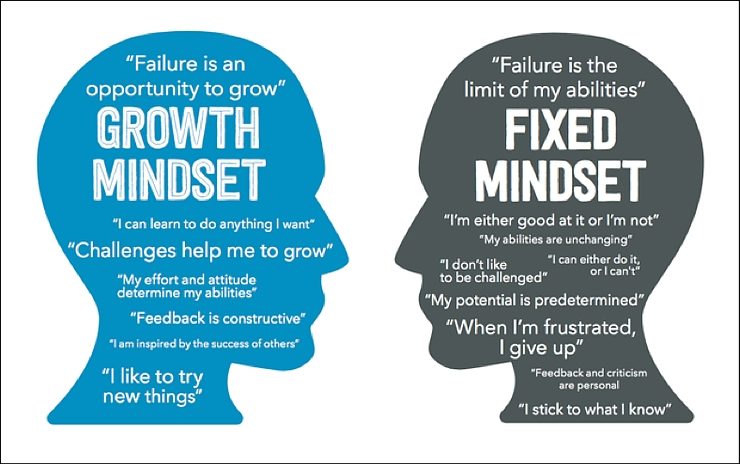
The more experienced we become as a teacher, the more comfortable we become with our areas of expertise and the more concerned we are about what we don’t know. In some subjects where the content changes little over the years, the comfort and the fear may be even more of a contrast . The perception that the students around us need to know that we are the experts, in order to accept our delivery of lessons, fuels the fear that we cannot experiment with new platforms in case it all goes wrong. Looking at the fixed mindset image above ask your self honestly how many of the fixed mindset phrases have you used when discussing using technology to teach?

Growth mindset vs fixed mindset
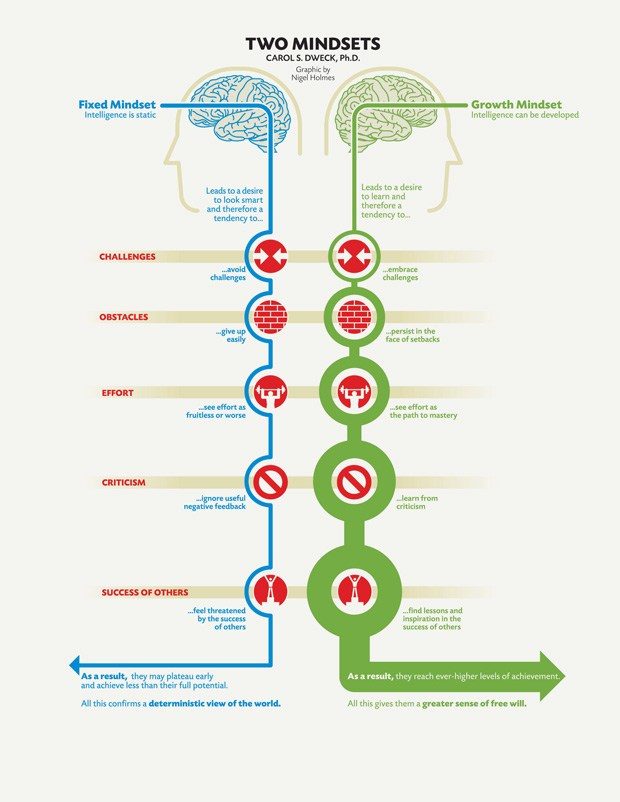
how the different mindsets work.

Lockdown has forced many teachers to turn to technology in order to continue to provide education remotely. The opportunities created by using Teams, Forms, Sway and PowerPoint with narration have been publicised and many teachers are now engaging with them. Countless organisations are offering advice, how to videos and it can all be overwhelming for someone with a fixed mindset who has hitherto been very comfortable with their individual face to face approach to teaching.

So my advice as a Microsoft Innovator Education Expert is quite simple. Use the MEC tile that already exists in Glow. If you cannot find it on your launchpad then add it from your apps library. Then explore and develop your own growth mindset! Start from an area with which you are familiar, it could be Teams or other Office 365 tools and watch the videos and complete the quizzes.

Microsoft Education Community
The bridge to all new ICT learning

They really are not scary and although you have to gain 80% to pass, there are resit opportunities so what do you have to lose!

Once you pass some quizzes you will gain badges in your personal profile.

Each badge is worth a number of points and all can be used as part of  your CPD evidence for GTCs

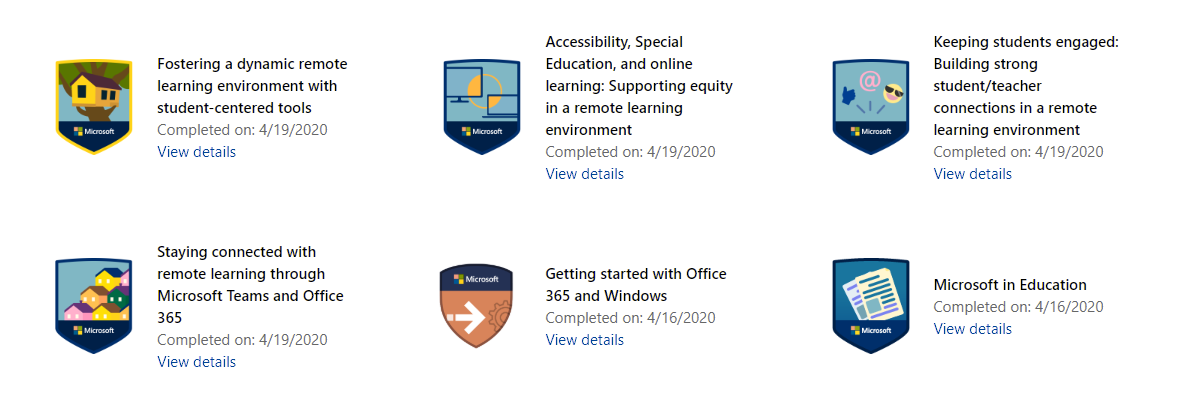
Microsoft badges

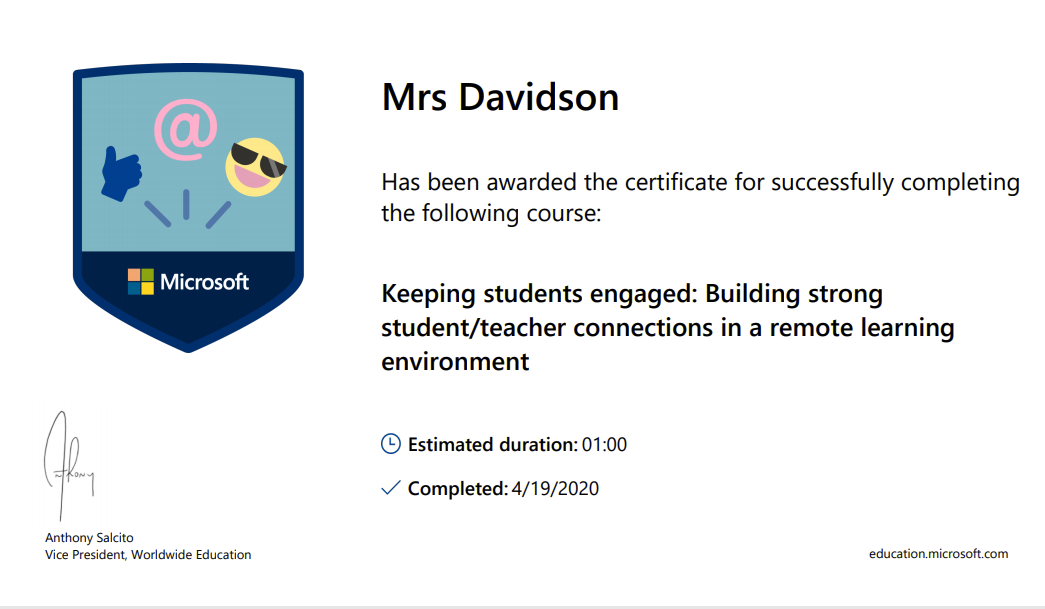
Some badges also come with certificates whilst others are part of learning paths and the certificate is awarded at the end of a significant amount of work. Each certificate details the time spent on acquiring them.

Engaging pupils                                                                                                                                                                                                   Collecting badges can become addictive once you realise that, just spending a little bit of time working through the video tutorials, can save you hours of time in creating and distributing quality learning opportunities.  Before you know it you will have acquired 1000 points and you become recognised as a Microsoft Innovative Educator and you join a fast paced growth mindset community from where your learning will really take off!

Microsoft Innovator Educator

Certified MIE bade The MIE Community In Scotland exists in the virtual world so even if there is nobody at your school that has any expertise in using Microsoft tools, you can gain support at the click of a mouse, from teachers just like you, who have learned the short cuts and possibilities available through Glow and are willing to share.  Twitter is the platform outside of glow where you can gain insight into how you can stretch your understanding, as most of us have twitter accounts and there are regular tweetmeets for #MicrosoftEduChat  #TeamMIEEScotland and #MSFtCelt ( team Scotland together with the Welsh team). What makes us experts is not that we know the answers but we are not afraid to ask the questions – how do you do that? Is that on glow too? Can I have a copy?

https://twitter.com/MrsTEHS/status/1261024735325851649?s=20

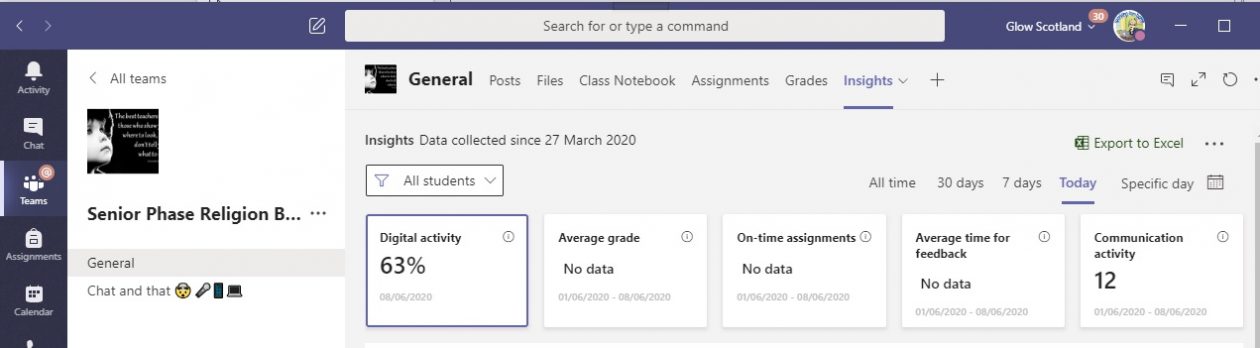
So as an experienced RME teacher what are my favourite tools for teaching and learning? Microsoft Teams is key as you can literally teach an entire course through a class team. I facilitate a Religion Beliefs and Values remote learning Team, as with the minimal support required for the Level 5 award the pupils who have opted into this team just work their way through their investigation and reflection. The fact pupils can literally complete all work on their phone helps to engage many of them more than a jotter and a text book. Forms to gain pupil voice or quizzes for formative learning are quick and effective and last of all my love of Sway with the ability to include so much information in an accessible format where readers can focus on what they need to learn. With these tools I have increased my engagement with pupils that I only used to  physically see once a week and for whom the instant and personalised feedback encouraged greater participation and deeper reflection. Now I am shielding physically away from my  closed classroom,  this interaction has continued and the record of all interactions are now documented in the new Insights tab.

As the PT of Wider Achievement I can facilitate a number of Youth Achievement Awards via Teams and together with our school Youth worker Caroline Shirreffs we are currently supporting senior pupils creating their Personal Development plans for their Platinum Award. Being able to have online meetings has actually given us more time than we would have managed to gain in school as these pupils have such busy lives! My YPi teams who collaborate via Teams chat and create group presentations show the scope is as limited as the learner’s imagination.

You may have thought you did not have time to learn about all these tools but the time it saves makes up for the investment. You just need to be a bit braver and click on the MEC tile. A whole new world of opportunities await!

Find me on Twitter  @AllM14891126


Remote Learning in Business Education⤴

from @ Team MIEE Scotland

Background

Hi, I am Shelley a Business Education Teacher in the Scottish Borders. This is my first year as an MIEExpert and a Microsoft Trainer and I am very passionate about digital technologies.  Due to the nature of my subject in School I am fairly comfortable with using Microsoft  software and  I have

been using Microsoft Teams for about 3 years now, so the transition to remote learning for myself has been quite seamless.

My Local Authority has introduced 1:1 iPads in Secondary Level, you can follow the progress of this @inspireSBC 


What am I using in my Virtual Classroom

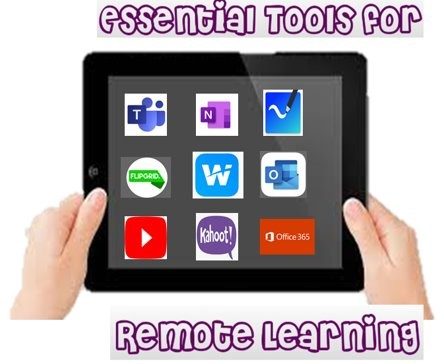
  • Microsoft Teams
  • Class Notebook/One Note
  • Thinglink
  • PowerPoint (creating video content)
  • Microsoft Forms
  • Satchel One (Show My Homework)
  • Post it App
  • Kahoot
  • Loom

  Microsoft Teams

This is used as a tool to communicate with learners and give praise.  I have several channels:

  • General
  • Question & Answer
  • Whole Class Feedback
  • Exit Tickets

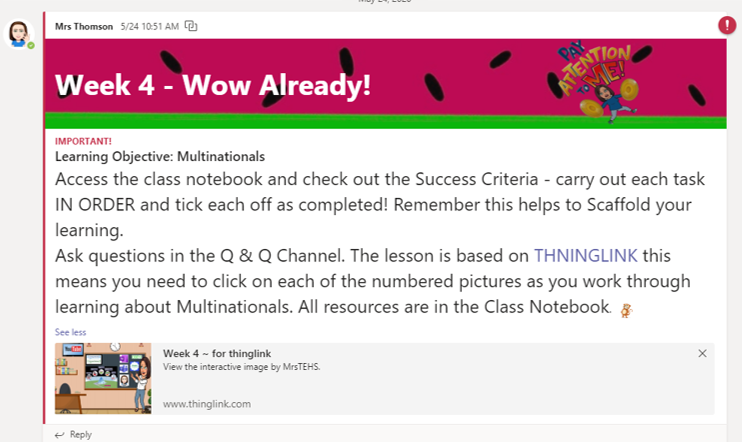
The General Channel is for Owner only posting, this makes it clearer for learners to access information without it getting lost in a long thread.  This means that announcements are clear.  I LOVE announcements you have the ability to personalise your header and make information stand out. 

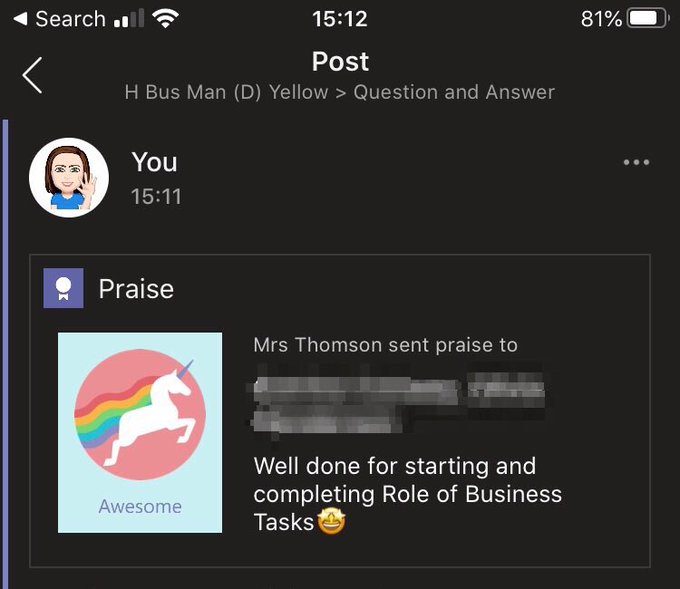
Any queries/questions are put in the Q&A channel. I also use this channel to give out praise to students to help build realtionships. 

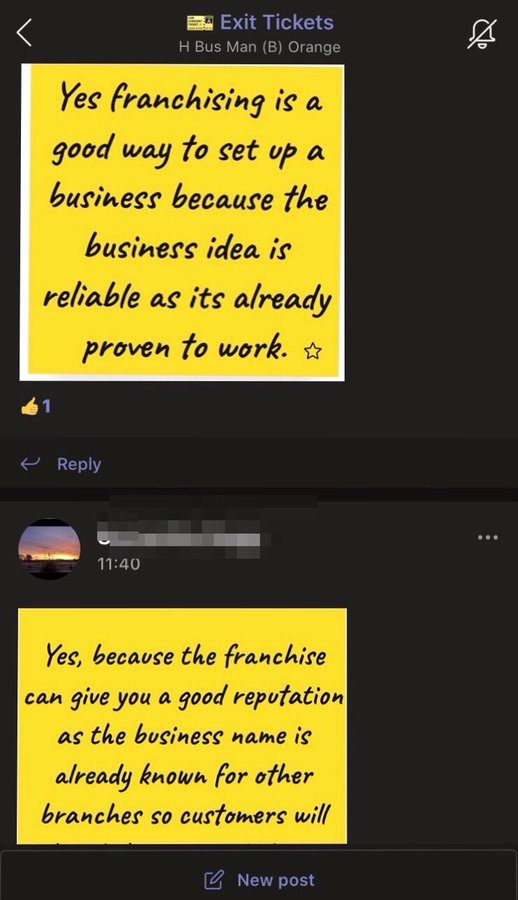
The Exit Channel is used for learners to post their POST IT note exit tickets directly to this channel from their app.

I also have a weekly Assignment Task for each class which will either be Summative (points attached to task) or Formative (rubric attached to task).

The benefit of the weekly assignment is that all information is automatically stored into a digital grade book which can then if need be exported to excel. You also have the INSIGHTS tab which allows you to analyse your data.

  Class Notebook 

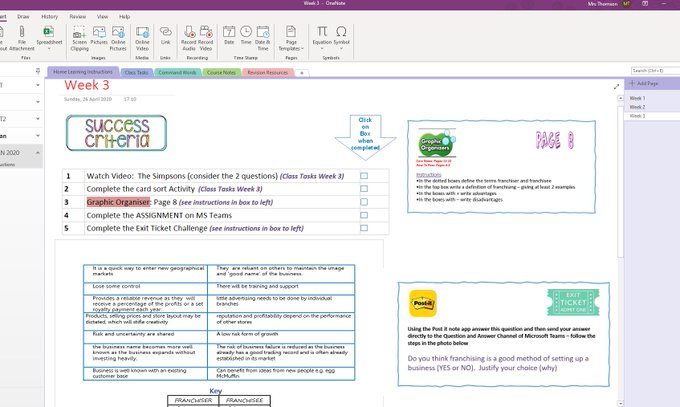
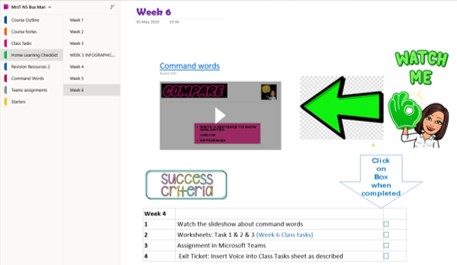
I have set notebooks up with the Microsoft Teams Apps for each of my classes and created Sections for them so that they can keep a Digital Jotter of their work and I can monitor their progress and give feedback.

Benefits of the class notebook are immense from easily distributing pages, reviewing student work and leaving feedback.  I love the versatility of being able to embed Audio, Video and Microsoft Forms directly into the one page making accessing resources easier for learners.  I also love that learners can reply verbally to feedback or use the audio tool as an exit ticket.  This then allows you to stay connected (its lovely to hear their voices!) but also identify any misconceptions that may need to picked up on the following week.

ThingLink

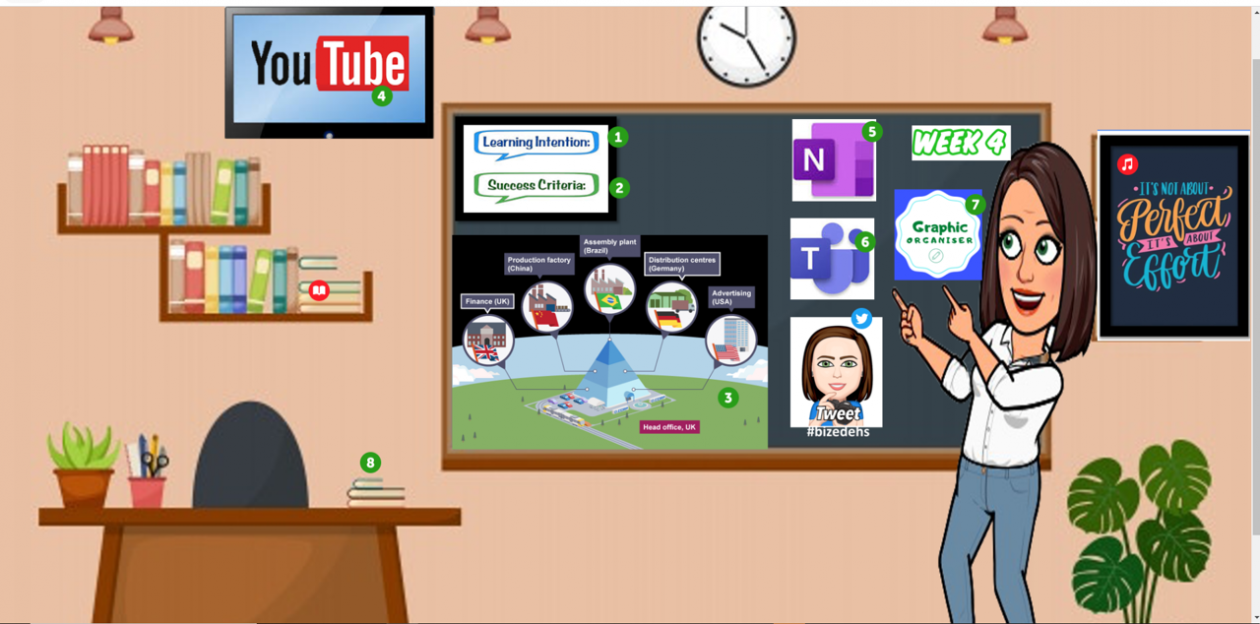
I am using this as an interactive classroom.  Each of the tags can be clicked and will give learners either video, text or tasks.  It allows me to also add audio to any of the content.  This blog does not support the interactivity/embed in the graphic but  you can click HERE to go to the online version of this example.

Happy to share, help and/or collaborate 

Shelley

How I am using Microsoft Teams for physics⤴

from @ MIE Scotland

Being a Microsoft Innovative Educator Expert (MIEE) has allowed me to develop my digital skills over the past five years.  However before this current crisis I had only used Microsoft Teams with a few classes.  One of the first things I did was review some of courses on Teams and Forms on the Microsoft Educator Community to reacquaint myself with some features and to learn new ones.


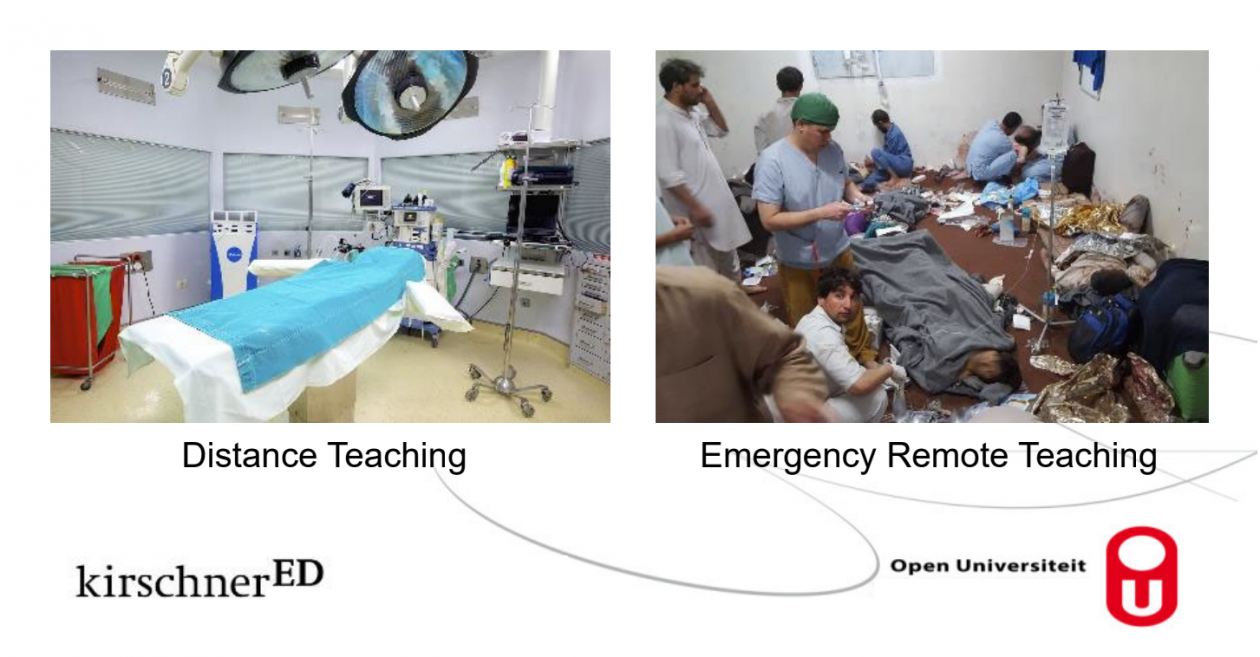
Guided by what makes good teaching and learning and readings such as this one on tips for effective learning at a distance by Paul Kirshner and his comments on the differences between distance teaching and emergency remote teaching.  The Education Endowment Foundation published a paper called distance learning rapid assessment.

My philosophy is that good learning and teaching is good learning and teaching whatever the context and it is about using the digital tools to support our pedagogy choices.

Firstly it is important to have clarity, I mean this both in terms of what you want the students to learn and how and also the clarity of the instructions that you are providing to your students.

Some of my tips for clarity are:

  • Use more than one channel in your Team.  Posts about assignments are made in the general channel.  It can be a good idea to make the general channel so that only owners (teachers) can make posts and have other channels for questions/chat.  This means instructions can be clearly seen.  The latest post is always at the bottom of a team.  If the instructions move up the page you can move them back to the bottom with a short reply to the original post (you can even delete the reply if you want afterwards).
  • Use announcement within Teams, make the tasks explicitly clear and logical for your students.  Try to minimise the number of documents that you want students to access for one task.  Add hyperlinks within your Teams announcements to the resources that you want students to use whether documents or videos rather than instruction pupils to go to the files section and open file X.
  • Avoid making a post to remind about the work that just says complete the work stated in the earlier post.  Instead either move the first post down by replying to it or copy the instructions from the first post and then make amendments for the new post.  Sometimes it can be hard to scroll up the team channel to find where work is.
  • Consider making channels for different weeks of work or topics to help improve the clarity and to put all the questions asked in the same place.
  • Make the learning intentions and success criteria of tasks clear and place these within the wider context to help them scaffold learning to prior knowledge.
  • Give short assignments using teams assignments, these can not only have dates so students can plan their work, but better allow you to see how students are progressing and allow feedback.  My students have indicated to me that they prefer more shorter assignments than one larger one.
  • Be aware of the files that you attach for any student task.  What size are they?  What format are they?  For example a PDF file is difficult to edit and cannot be edited directly in Teams.  Make sure documents attached to assignments are the x version of the Microsoft files, docx, xlsx, pptx etc. rather than doc, xls, ppt.
  • Be aware that a number of learners are using phones as their main device.  Simplifying instructions can help how many clicks they need to follow to read instructions and complete work.
  • Within the Teams assignments I also include all the hyperlinks to the file documents in the same way that I do for the announcement posts in the channel.  These links can be copied from place to place.

Here is an example of one of my Team announcement post with a custom background, hyperlinks to videos and documents and in this case 4 assignment tasks.

The Microsoft Teams structure approach describe in my detail in my blog was informed by Microsoft webinar on remote learning at the University of NSW, Australia.

My approach to planning learning has been to plan student work on a mostly asynchronous basis.

  • Retrieval practice quiz using Forms and sometimes a quiz on prior learning.
  • Introduction video (created using PowerPoint recorder) and shared via unlisted YouTube.
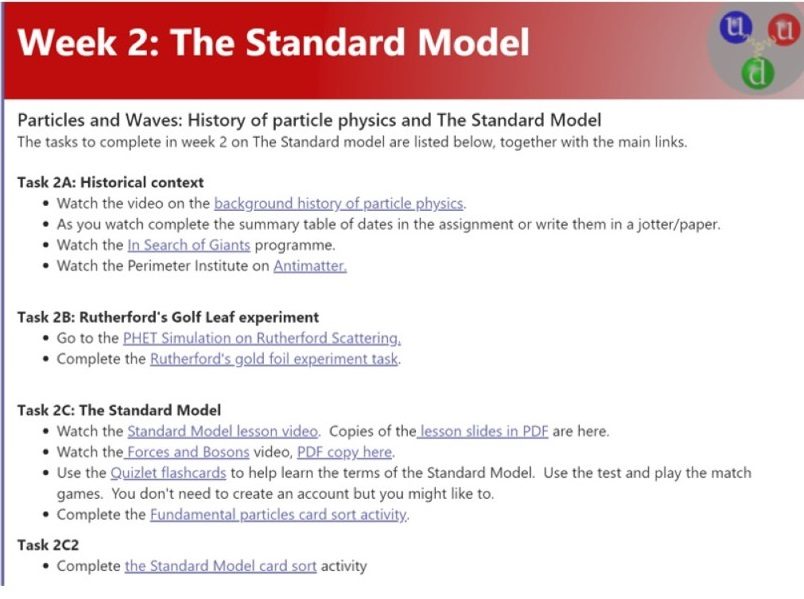
  • Activity task (Quizlet, Quizizz, Animations/Simulations such as PHET, and at home experiments)
  • Diagnostic assessment (Microsoft Form)
  • Consolidation task (Forms, card sorts in Excel, Padlet etc.)

Synchronous activities include:

  • Responses to questions posted on the Teams channel.
  • Weekly catch-up Team meetings with students, answering questions, providing advice and support, modelling tricky problems modelling on paper or using the Whiteboard app or OneNote.
  • Live quizzes on platforms such as Kahoot, Quizlet, Quizizz.

About me

I am a physics and science teacher working in Angus on the beautiful and sunny east coast of Scotland.


In addition to being a teacher, I am a consultant physics teacher coach with the Institute of Physics Scotland and as part of that role have been running webinar training sessions for physics teaching using Microsoft tools.  Details of support being provided for physics teachers by the IOPS can be found in the Scottish Physics teacher group on Talk Physics including shared Microsoft Forms quizzes, videos, introduction videos, simulations and activities.


I have a interest in professional learning, pedagogy, evidence informed teaching and have contributed to Pedagoo and ResearchEd Scotland events.

I tweet on andrewkbailey13

My YouTube channel includes videos for teachers and pupils on Glow. 

My personal digital learning blog can be found at https://blogs.glowscotland.org.uk/an/digitallearningprototype/

This includes posts on:

Microsoft Forms and Feedback

My Microsoft Team

I have been a Microsoft Innovative Educator Expert since 2016 and am now a Microsoft MIE Master Trainer.

Welcome Everyone⤴

from @ MIE Scotland

MIE Expert Badge unicorn with a scottish flag

Some of the amazing Microsoft Innovative Educator Experts from across Scotland will be sharing their learning success stories in this blog.

This blog is designed for all teachers to see HOW Microsoft technologies are being used in classrooms across Scotland.

Its about the learning and the way these teachers are using technology with their students.

We will have regular updates that we hope will give you some ideas for how you can use tools like Teams, OneNote, Sway, Forms etc in your classrooms.

Also have a look at the bloggers twitter feeds as well as #TeamMIEScotland and #TeamMIEEScotland on twitter for help, support, tips and tricks.

If you would like to develop your skills in the use of any of these tools you can sign up for free CPD on the Microsoft Educator Center https://education.microsoft.com/en-us

We hope you find this blog helpful and please reach out to any of the bloggers

Sarah Clark MIE Fellow Scotland (twitter @sfm36)

Castlemilk High School-Skills Framework⤴

from

Developing young people’s skills is a priority in Castlemilk High School. The leadership team comprising of a senior staff member, a Developing the Young Workforce (DYW) lead, youth worker, careers advisor and MCR pathways coordinator have adopted a streamlined and transparent approach to developing young people’s skills for life, learning and work. To support this, a ‘Skills Framework’ – known as ‘the Two ships and the 3’C’s’ has been implemented across all aspects of the curriculum.

The Framework is embedded into learning to ensure that all young people are engaging with a holistic language which was carefully created to allow them to recognise and understand their skill sets and relate these to their career aspirations. The impact is that young people are better able to articulate their skills set preparing them for the world of work.

Collaboration with both the wider community and employers has been integral to successful realisation of this goal. Following guidance in key documents such as BTC4, a strategic meeting of the team identified assess skills gaps in the labour market. The staff and parents of young people were asked to identify skills that young people needed to develop further to make them ‘work ready’.
The view of our partnership employers events were also aligned with this. This ensured that the Framework reflected both our local community too. The development of visual design for the Framework was supported by a local graphics company.

The consultation with staff, parents and partners was highlighted as a key strength of the Framwork during a recent inspection by Education Scotland and was praised for its sector leading approach to skills development.

In a competitive world, Castlemilk High School feel it is important for our young people to be able to confidently articulate their skills to give them a better chance of securing positive destinations. The ‘Skills Framework’ was developed to address the skills requirement for the current and future labour markets. By creating a common language, they expect that these transferable skills will become more transparent and identifiable to the young people across their curricular learning.

Staff in the school are openly engaging with young people in conversations about their own skill sets and have displayed their own personal ‘skills journey’ from school to the work place in attractive poster displays created by the DYW team.

Staff use the ‘Two Ships and the Three Cs’ to compliment learning and teaching:

Science

Pupil Log Books are adapted to encourage learners’ to identify skills they have developed during a unit of work allowing them to make meaningful connections as to how these skills can be applied across curricular areas.

Drama and Music

A skills focus is shared every lesson with one skill from the Framework at the fore, strengthening our young peoples’ ability to recognise transferability of skills between curricular areas.

Wider Achievement programme has further developed and helped to track skills using the Framework. Young people elect to take three Wider Achievement blocks, one per term. Using a tracking system, young people assess themselves against the skills framework, recording their skills journey through a variety of activities designed to enhance personal achievement. For example:

Young person may decide to focus on enhancing their leadership skills during a wider achievement block. By opting for an activity designed to enhance that skill, they can target skills that need improvement and take ownership over working towards them.

Many young people need support in articulating their skills and describing the qualities that they have developed. By providing a common framework and language, this enables our young people to confidently compete more effectively in the post-school market against their counterparts. The Skills Framework is key in allowing us to work with the young people against the cultural and economic barriers they face in our community.

In addition, we have embedded flexible and tailored work placement opportunities for young people by effectively tracking our young peoples’ skills and aspirations. This approach has been praised by external agencies involved in DYW.

The work placement format focuses on ensuring young people get the most out of their time in the work place, setting goals with regard to the Skills Framework prior to going and reflecting on these when returned.

In addition, work-related subject choices with a focus in the Skills Framework have been embedded into curriculum:

Princes Trust,

Rural Skills

Community Youth Work Skills.

This ensures  learning is focused on providing the skills that allow them to flourish. These courses not only gain qualifications but they build on skills that aren’t always available in a more traditional school curriculum.

The Skills Framework has allowed a greater focus on the aspects of work-related learning that can have most impact to our young people. Partnership has been at the very heart of our ‘Skills Framework’ from the outset. The team itself consist of a number of diverse stakeholders drawn from existing partnerships with the Castlemilk Youth Complex, MCR Pathways and Skills Development Scotland. This has allowed the ‘Two Ships and the Three Cs’ to filter readily into our community.

The DYW team are responsible for co-ordinating all aspects of young person’s work journey and the Skills Framework are increasingly moving towards the centre of this. For example, in conversations with Skills Development Scotland advisor, young people are encouraged to describe and apply their skills when writing personal statements and applying for college or part time work. The Framework is used as a toll in 1:1 conversations to explore and develop young people’s career management skills, allowing them to identify their own skills and how this fits into the world of work.

In addition, MCR pathways co-ordinator uses the Framework to support her work with care-experienced young people. Young people are encouraged to develop their skills from the Framework and five S3-S6 young people are MCR Pathways Young Ambassadors.

S1-S3 YP are given opportunities to visit universities, S3-S4 can participate in a wide range of Talent Tasters that range from Construction, Hair Beauty, Factory Working, Law, Architect, Police, Nurse, Primary Teaching & Engineering. They use the Framework to reflect on skills developed. These individualised university visits, Talent Tasters and our flexible work experience opportunities have ensured that our young people are making informed choices about developing their skills to suit their future careers.

The totality of this work means that young people are therefore more able to sustain a positive destinations.

DYW – Support Offer⤴

from

In these unprecedented times Education Scotland would like to ensure you continue to get the professional support you may require around DYW over the next months.
the following will provide you with an offer of key professional online support:

  1.  A quick start guide to DYW: This includes the key essential around DYW such as main documents, key links to latest information and updates.
  2.  Professional learning and reflection tools:  here you find all the essential tools and learning modules collated in one area.
  3. Career, Information, Advice and Guidance – My World of Work:  This is Skills Development Scotland’s online support hub for teachers and practitioners as well as learners .  It contains classroom resources, Labour Market Information, guidance on Meta – and Career Management Skills amongst a range of other interactive and engaging resources
  4.  Online professional dialogue – virtual meetings:  We have set up 3 session for teachers and practitioners to ‘get together’ in order  to share their DYW experiences, exchange information and discuss challenges.
  5.  National Improvement Hub – DYW  Summary Page:  This website page contains all our resources, tools, exemplification etc. in one place.  .

For more information on the above please follow the links.

If you have any specific questions please don’t hesitate to contact us directly at:  EDSDES@educationscotland.gov.scot

Opportunities for local fèis groups from Spòrs Gàidhlig,⤴

from

Fèis-spòrs

Spòrs Gàidhlig, with support from Bòrd na Gàidhlig and Fèisean nan Gàidheal, are offering exciting activities to local fèis groups through Fèis-spòrs.  

Fèis-spòrs is a new initiative delivered in partnership with Fèisean nan Gàidheal. They will come to you during your normal fèis dates and deliver activities with professional instructors and equipment. Local Fèis participants can access exciting outdoor activities using Gaelic.

Spòrs Gàidhlig, are also offering an new Fèis-spòrs camp which will combine the best of music tuition and drama with an exciting programme of outdoor activities.  You can book online by visiting the website at www.spors.scot 

For more information, please call Spòrs Gàidhlig on  01463 234138 or email fios@spors.scot

Briefing on Gaelic Education⤴

from

Seo fiosrachadh ùr bhuainn:

https://education.gov.scot/improvement/Documents/BriefingonGaelicEducationSept2019.pdf 

Please see our September  Briefing on Gaelic Education here:

https://education.gov.scot/improvement/Documents/BriefingonGaelicEducationSept2019.pdf

Our briefings on Gaelic Education  keep practitioners updated of some of Education Scotland’s, and key partners’, support for improvement in Gaelic Education. Please follow this link for more information:

https://education.gov.scot/improvement/learning-resources/Briefings%20on%20Gaelic%20Education/Fiosrachadh%20mun%20Ghàidhlig

Portlethen Academy: Raising the profile of skills in learning and teaching.⤴

from

Every classroom has a poster for Skills for Learning, Skills for Life and Skills for Work. Pupil-friendly definitions of these skills were produced by a working group of staff. Teachers are asked to make reference to these skills in their learning intentions and success criteria and in the content of the lesson itself. The impact of DYW is discussed in the videos:

All S1 pupils are recording the development of these skills in a Skills Passport booklet during DCT. The main purpose of the booklet is to help the pupils document the skills they are developing, the subjects in which they use these skills and the evidence they have to support their judgements on how well they are progressing with particular skills in learning, life and work. The booklet also includes sections on profiling, SMART targets, reflection, mental health, recognising wider achievement, subject reports and self-evaluation.

The school has used several key methods to ensure that the strategy has the desired impact to the learners:

  • Researched examples of skills frameworks and received valuable input from Larbert High School after seeing their materials on the National Improvement Hub
  • Decided to develop their version of a skills framework and to link it to their tutor time programme for tracking purposes
  • Established a staff team to develop the framework and materials
  • Introduced the focus on skills to staff at collegiate session.
  • Introduced the focus on skills to pupils at year group assemblies.
  • Produced a set of posters for every classroom
  • Obtained feedback on reference to skills for learning, life and work through pupil focus groups where 5 pupils are selected from various year groups once a week.

The school believes that the changes have impacted on their learners, the key indicators:

  • Promoted skills development in learning and teaching
  • Ensure staff are consistently embedding skills development in their classroom practice
  • Ensure pupils know what skills they possess
  • Helping pupils develop the ability to confidently articulate the skills they are developing
  • Ensure pupils can utilise these skills across different subject areas
  • Ensure pupils realise the value and importance of skills they develop in school and how these relate to the world of work

This is a journey for staff and young people, the key points are:

  • Staff are referencing skills development in their lesson planning
  • Pupils are noticing the increased focus on skills and realising the value as they progress through the school
  • Pupils are becoming more aware of how often they are using different skills
  • Pupils are realising the value of transferrable skills
  • Pupils are realising the importance of skills for their future careers

It has allowed them to monitor it through their focus groups, and they can reference it more easily due to the visual nature of their posters. When they have speakers or reference areas of employment in their career of the week they ensure skills are highlighted.

Portlethen are working hard on partnership and engagement with industry. Curricular experiences through DYW include:

Breadth of careers
Mock interviews
Rural skills
Air traffic control
NHS
Enterprise day (S2)
Micro Tyco
MWOW ambassadors
Hospitality (chef of the week, Royal navy chefs)

Porthlethen see DYW as integral and underpin out their work with young people by making the links between skills and the workplace. They refer to the school as just another workplace, which reinforces the link between education and skills for work. The skills framework has helped by providing a clear focus.

  • Having a visual display of the skills you are focusing on
  • Reference skills in all aspects of the lesson where appropriate
  • Help pupils realise the range of skills they possess
  • Ensure pupils know which skills they are developing
  • Help pupils transfer these skills to different contexts and subject areas

Next Steps
They have started formally recording and documenting skills development and progression in S1. They are looking at creative ways to record and document skills development as the cohort become more mature and progress through the school. They will formalise the inclusion of skills development in lesson planning, learning intentions and success criteria to ensure a consistent approach by all staff.

“I like the framework because I can click on it and see what it means” S1 pupil

“Having the framework on your website helped me link my presentation to the skills required to work in the catering industry in a way that pupils could understand”  DYW presenter.

“The framework diagrams give me a key point of reference in planning lessons and for reference in class.” Teacher